Turn a flat poster into layers and change its words. In the PSD with editable text (beta) the text it can read is Photoshop type, so you can retype it or set it in another font. The first split is free: sign in with Google, no card needed.
Your image
Every sample here is a real split. Take one apart and download it.
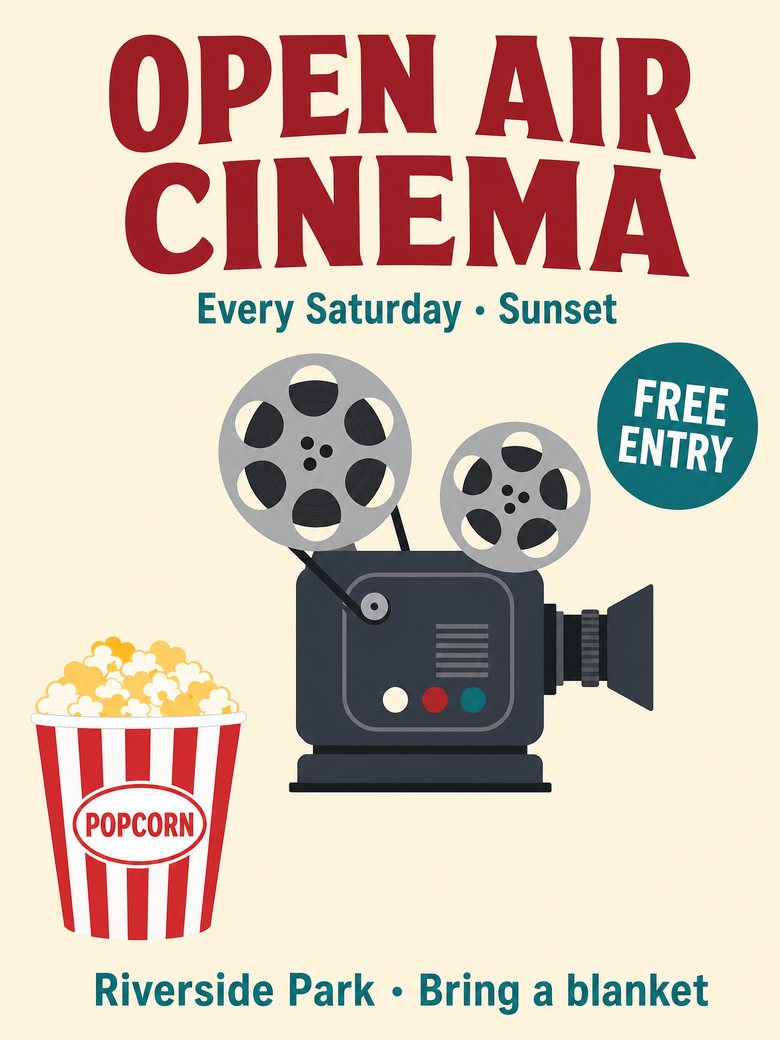
Open air cinema posterSample split · free to explore and download
Drag a layer or hide it with the eye.
5 layersplus the filled background
Footer Text Riverside Park • Bring a blanketText
Popcorn BucketObject
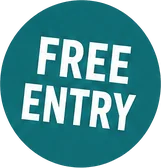
Free Entry BadgeGraphic
Vintage Film ProjectorObject
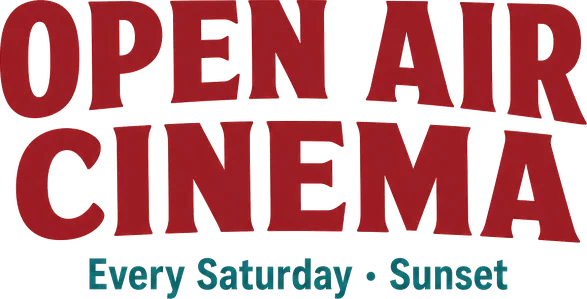
Headline Text OPEN AIR CINEMA + Subtitle Text Every Saturday • SunsetText
Background (filled)Filled in behind every layer
Text it could read becomes Photoshop type. The rest stays pixels.
Sample files are reduced for the page; your own splits come at up to 2,560 px.
Edit poster text
Change a date, a price or a headline without rebuilding the poster
A finished poster is one flat picture: the date moved, the offer changed, and the source file is gone. LayerSplit splits it into layers over a filled background, and writes the text it can read as Photoshop type layers that still carry the original pixels. The file looks exactly like your poster until you retype a line. Then only that line changes, and the artwork, the layout and every other layer stay as approved.
Retype or restyle the title, date, price and footer lines
The type layer keeps the original look until you edit it
Logos, script and curved text stay images, so they are never replaced by a font
Marketers, event organisers and small shops who need to change a poster they only have as a JPG or PNG, and designers who received a flat export instead of the source file.
What stays an image
Text is an image layer by default. The PSD with editable text (beta) makes the text it can read Photoshop type; logos, curved, outlined and multicolour lettering stay images.
Lettering in more than one colour, with an outline, or in a script or hand-drawn style is kept as an image.
Text printed on an object or on a busy texture is part of that object's layer.
The font is matched by style to Arial, Times New Roman, Impact or Courier New, so edited text can look different from the original.
Images where objects overlap take longer: 5 to 10 minutes instead of about 2.
Pay per layer. Your first split is free.
A layer costs 10 credits and the filled background is free. Subscribe for the lowest price per layer, or buy a pack once and use it whenever you like.
Free
$0
One full split
150 credits, up to 15 layers
Sign in with Google, no card
Every layer downloadable
Basic
$12.00/ month
About 140 layers a month
$0.086 per layer
1,400 credits every month
Cancel anytime
Lowest price per layer
Pro
$36.00/ month
About 450 layers a month
$0.08 per layer
4,500 credits every month
Cancel anytime
Or pay once
No subscription. Pack credits do not expire while your account is active.
$9.90Starter pack
90 layers$0.11 per layer
$24.90Plus pack
240 layers$0.10 per layer
$59.00Studio pack
620 layers$0.095 per layer
Every plan and pack: PNG, ZIP and layered PSD export
A failed split costs nothing
Secure checkout by Stripe
Secure checkout through Stripe. A pack or a subscription only adds credits to your account. USD prices. Review the final amount and any applicable tax at checkout before paying. Packs never renew; a subscription renews each period until you cancel it in your account. Unused credits can be refunded within 7 days of the payment that added them. The credit cost shows before each layer; finished results need no second payment to view or download.
Editing poster text: questions and answers
Is there a free trial?
Yes. Sign in with Google and get 150 credits, enough for one full split of up to 15 layers. No card is needed. The sample splits can be explored and downloaded without an account.
What does the free split include?
Every layer as a transparent PNG, a ZIP of all layers and the layered PSD, with no watermark.
Which files can I upload?
PNG, JPG or WebP, up to 20 MB.
How large is the output?
Up to 2,560 px on the long side. A larger upload is scaled down to that before it is split.
How many layers do I get?
Usually 5 to 10 and at most 15, plus a filled background that is never charged. Related items are grouped, so a set of ice cubes or a line of text is one layer. Choose Every element to split finer.
Is the part hidden behind an object restored?
Yes. An object partly covered by another comes back whole. Only the hidden part is drawn by AI; everything you can see is cut from your own pixels.
Is the text editable?
Partly, in beta. In the PSD with editable text, the words it can read become Photoshop type layers that you can retype and set in another font. Logos, curved, outlined or multicolour lettering and text it cannot read stay pixel layers, and so does all text in the PNG files, the ZIP and the standard PSD. You can always hide a text layer and type new words over the filled background.
What happens when I edit the text?
A type layer looks exactly like the original until you edit it. Then Photoshop sets the words in the closest of four common fonts (Arial, Times New Roman, Impact or Courier New) at the size and colour measured from your image, so the lettering can look different. The PSD holds only the font's name, so a machine without it is asked to substitute one.
What does a layer cost?
10 credits a layer. The background is free, and a layer that fails is not charged.
How long does a split take?
About 2 minutes when the elements do not overlap. When objects cover each other, every level of overlap adds a pass and the split can take 5 to 10 minutes. You can leave the page; the result is saved in My splits.
What happens to my images?
Uploads and results are private to your account and are deleted after 30 days. Download anything you want to keep.
Can I change the text of a poster I only have as a PNG or JPG?
Yes. Split the poster, then download the PSD with editable text (beta). The words it could read are Photoshop type layers: open the file in Photoshop or Photopea and retype the title, the date or the price. Text it could not read stays an image layer, and you can hide that layer and type over the filled background.
Which text becomes editable?
Plain lettering set in one colour: headlines, subtitles, prices, dates and footers. Logos and wordmarks, script and hand lettering, curved text, outlined or multicolour lettering and text printed on an object stay image layers, so they look exactly as they did.
Does the editable text open in Photoshop?
It is written as standard Photoshop type layers, and the files open in Photopea with the T mark, the font, the size and the colour set. Photoshop asks to substitute a font that is not installed. Nothing is smart-object, mask or effect: every other layer is a plain pixel layer.
What if the words it read are wrong?
The words come from a vision model reading your image, so a wrong letter is possible in small or decorative print. Check the type layers before you rely on them. The PNG files, the ZIP and the standard PSD keep every word as pixels, exactly as in your poster.
Does it work on a poster I photographed?
It works best on the digital file. A photo of a printed poster has perspective and lighting that make clean layers, and readable text, harder.
Split your first poster free
Sign in with Google and get 150 credits: one full split of up to 15 layers.