Blur Background of Photo: Shallow DSLR Bokeh Without Subject Halos

Turn harsh café lighting, messy bedrooms, or busy conference floors into soft cinematic depth at 5 credits per photo - slide blur strength freely after one cutout pass.

Opening cutout studio…

Why standard portrait blur creates glowing halos - and how Edge Halo Guard stops it

Applying Gaussian blur across a regular cutout mask leaves one telltale flaw almost immediately: a colored glow outlining collars, stray curls, and shoulders. That artifact appears because naive editors smooth the full untouched photograph first and paste a sharp subject back on top. Pixels just behind your hair soak bright shirt or skin pigment out into the blurred background, forming a distracting ring around every silhouette.

This blur background studio fixes the leak before blurring ever runs. Once recraft/remove-background separates the foreground alpha matte (5 credits once, refunded if the AI task fails), the browser-side Depth & Bokeh engine masks out foreground pixels completely and extends adjacent backdrop tones across the gap. Only clean background colors feed the 0-30 px Gaussian or multi-pass lens bokeh.

Your original foreground subject - eyebrow texture, eyewear rims, apron folds, espresso crema - stays pixel-identical to the raw upload while distracting tables, signs, and bystanders melt cleanly into cream depth.

Edge Halo Guard

Eliminate unnatural bright rings around shoulders and curls

Inspect hair highlights, glasses temples, and dark wool sleeves where bright café signage sits immediately behind a person. Flipping Edge halo guard on replaces hidden subject RGB under the blurred plate with nearby wall tones, so warm bokeh lamps stay lush without leaking dark apron or hair smudge outward.

  • Toggle Edge halo guard live to compare raw bleed vs. clean optical falloff
  • Dial blur radius smoothly from 0 px subtle lens softening up to 30 px dream depth
  • Switch between fast Soft Gaussian and smooth 3-pass Creamy Lens falloff
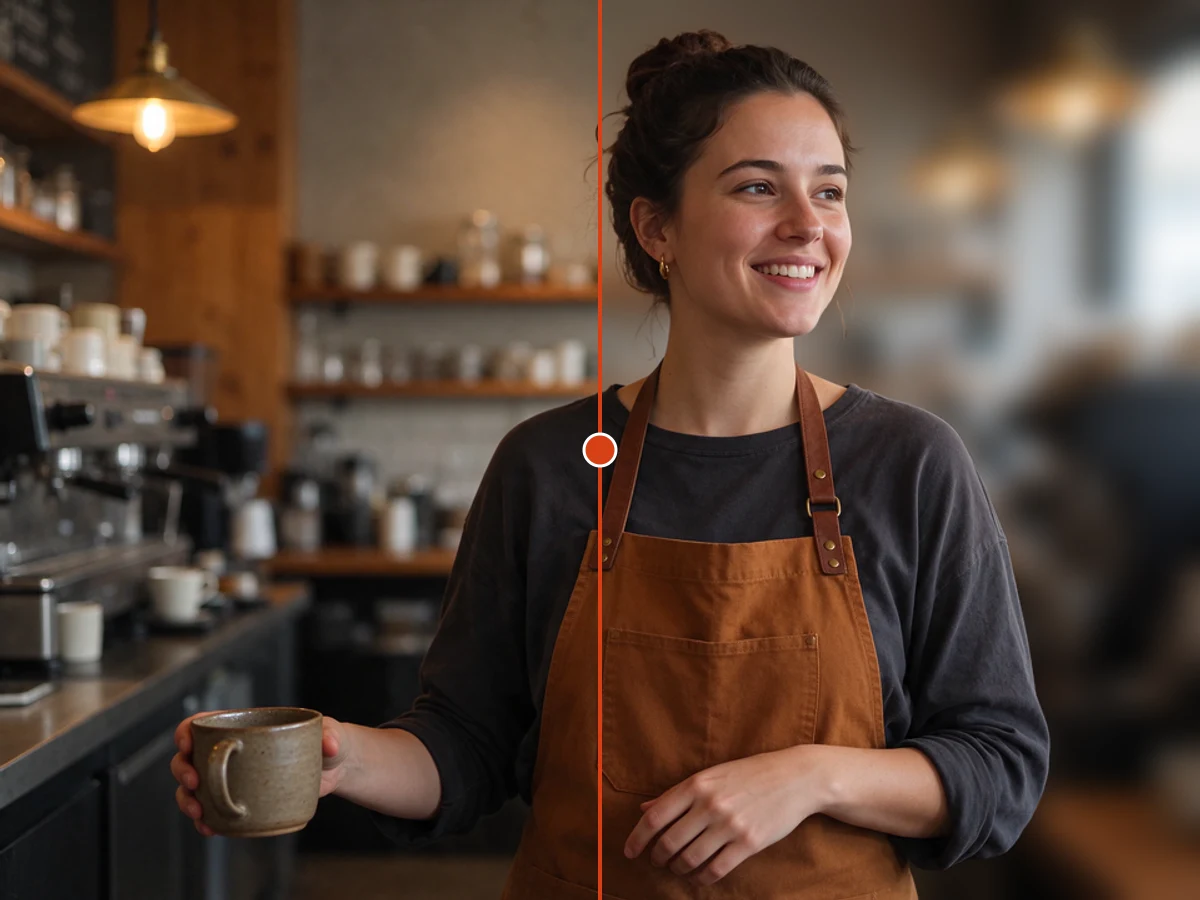
Portrait of smiling barista showing cluttered cafe cups blurred into smooth 14 px bokeh with crisp hair strands and zero bright color halo
Real-Time Bokeh & Output Control

Tune portrait blur intensity and format at zero extra cost

Camera portrait modes lock aperture strength poorly at capture time or introduce jagged depth-map mistakes around cup handles and eyeglass frames. Upload once, wait briefly for true matte isolation, then adjust blur depth freely at zero credits for LinkedIn avatars, Substack headers, real estate listings, or hero banners.

  • Keep full unblurred foreground texture from the original upload camera sensor
  • Inspect sharp subject alignment over a 50/50 interactive split curtain
  • Download lightweight WebP, crisp PNG, or compressed JPG ready for immediate upload
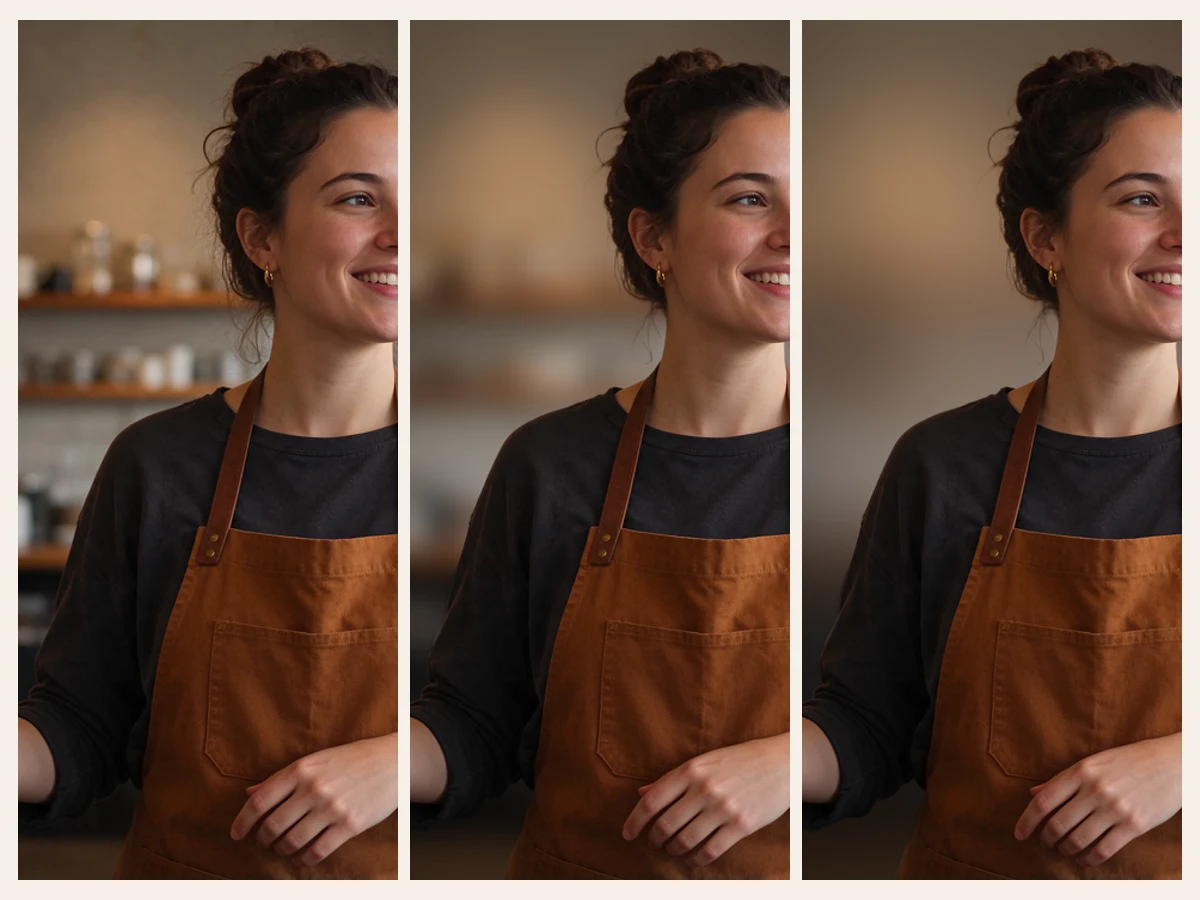
Three-panel comparison of 0 px sharp cafe wall, balanced 14 px depth portrait, and heavy 28 px creamy bokeh over the exact same headshot

Depth settings guide across portraits, products, and social feeds

Use natural aperture equivalents rather than over-blurring every pixel into plastic.

Use CaseRecommended Blur RadiusBokeh ModeExport Format
LinkedIn / Founder Headshot10-14 pxSoft Gaussian + Halo Guard ONJPG or PNG
Cafe / Lifestyle Creator Portrait14-20 pxCreamy Lens + Halo Guard ONPNG or WebP
Ecommerce Product Spotlight18-26 pxCreamy Lens + Halo Guard ONWebP (fast web load)
Privacy Redaction (room behind screen)24-30 pxSoft GaussianJPG

Want zero trace of the original room instead of soft depth? Switch straight to Transparent Background Maker or export layered PSDs.

How to blur a photo background cleanly without optical artifacts

  1. Test blur strengths on the studio samples free

    Slide Blur strength across the built-in café barista, product espresso machine, and outdoor corgi scenes to observe foreground sharpness and bokeh rolloff before uploading.

  2. Upload your portrait or product shot (5 credits)

    Sign in with Google for 10 starter credits (two full photos) and drop any JPG, PNG, or WebP up to 20 MB. Files above 5 MB resize locally without touching your credit balance.

  3. Enable Edge Halo Guard & balance bokeh radius

    Set blur between 10 and 16 px for convincing f/1.8 prime-lens separation, check curly hair edges on Split compare, and switch between Soft Gaussian and Creamy Lens falloff.

  4. Export final PNG, JPG, or WebP without re-paying

    Save multiple aperture strengths from the exact same AI mask cleanly at 0 additional credits. Uploaded photos and generated masks auto-expire cleanly after 30 days.

What shallow background blur handles best

Applies genuine alpha-aware edge isolation before computing large 0-30 px lens blur

Preserves micro-sharp eyelashes, stitching, fabric grain, and eyeglasses cleanly on foreground subjects

Prevents color fringes via automatic Edge Halo Guard color extension across the occluded subject plate

Refunds credits automatically whenever an AI run fails or encounters invalid output

Honest boundaries and workflow scope

  • Does not compute gradual 3D Z-depth focus ramps along sloping tabletops (foreground stays crisp while everything masked as backdrop blurs uniformly)
  • Does not swap in an entirely new beach or minimalist wall - use Background Splitter or Transparent Background Maker when replacing rooms outright
  • Does not create die-cut borders around pets or avatars - see Photo to Sticker for sticker workflows

Blur Background FAQ

Does moving the blur slider spend additional credits?

No. You spend 5 credits once to generate the high-resolution foreground matte for your uploaded file. Sliding blur strength from 0 to 30 px, toggling Edge halo guard, or downloading PNG, JPG, and WebP variants happens locally at 0 extra credits.

How does Edge Halo Guard improve hair and dark clothing boundaries?

Standard blur smears colors from dark sweaters or bright skin outward into the blurred wall behind them, creating glowing outlines. Halo guard fills behind the subject mask with neighboring wall tones prior to smoothing so colors stay pure.

Can I use blurred photos for LinkedIn profiles and marketplace listings?

Yes. Setting 10-14 px Soft Gaussian blur softens distractions behind home-office shots without screaming fake heavy filter, making LinkedIn portraits and Airbnb or Etsy shots read like shot on an f/2 prime lens.

What image formats work and what if my photo exceeds 5 MB?

PNG, JPG, and WebP photos up to 20 MB are accepted. Images larger than 5 MB or 4,096 px are transparently scaled locally inside browser memory prior to queueing so your job passes cleanly.

Should I save the blurred result as PNG, JPG, or WebP?

Because the blurred background output is opaque across the canvas, JPG keeps camera photos very compact for LinkedIn and email, WebP gives crisp lightweight web cards, and PNG avoids any compression artifacts.

What if I also want a transparent cutout from the same portrait workflow?

Switch over to Transparent Background Maker for transparent 32-bit RGBA PNG exports, or inspect Photo to PSD to extract foreground subjects into layered Photoshop files.

Ready to isolate your foreground completely instead?

Switch between DSLR background bokeh, full transparent cutouts, or die-cut stickers inside LayerSplit.

Explore more LayerSplit tools