Transparent GIF Maker: Make Any Solid GIF Background Transparent

Drop a solid-background GIF and turn white, black, mint, or green screen backdrops into a clean transparent background GIF in seconds - click the canvas color, adjust tolerance, and export free in your browser.

Opening browser tool…

What a transparent GIF can and cannot do with 1-bit alpha transparency

Making an animated GIF transparent differs fundamentally from erasing backgrounds on static PNG graphics or modern video overlays. Because the 1987 GIF specification assigns every palette color only 1 bit of alpha - meaning each pixel must be either completely transparent or completely solid, with no semi-transparent soft edges - wispy hair strands, smoky drop shadows, and soft blurred glows around typography naturally snap into crisp edges.

This browser transparent GIF maker compositing engine preserves full frame fidelity first, lets you click directly onto uniform backdrops with an eyedropper, runs border-connected Edge Flood Fill across every tick with 1px color defringing, and re-encodes via gifenc with explicit disposal=2 frame clearing so previous transparent poses never leave trails behind moving subjects.

Every decode, pixel mask, and re-encode step executes inside client-side Web Workers directly on your computer or phone with zero watermarks and no files uploaded to servers.

Edge Flood Fill vs Global Match

Protect cream dials, white teeth, and eye highlights inside your subject

Blind global chroma keying deletes every pixel across the entire canvas resembling white or cream, punching awkward transparent holes right through glossy product reflections, shirt collars, eyes, and radio dials. Edge Flood Fill starts strictly from the outer border (and optional enclosed pockets you click or check), keeping enclosed interior highlights completely solid.

  • Click inside closed letter loops (like A, O, P) or handle holes to seed multi-point Flood Fill
  • Check or uncheck Clear exact enclosed pockets (handles, letters) directly in the panel
  • Toggle instantly between Edge Flood Fill and Global match to verify safe edge thresholds
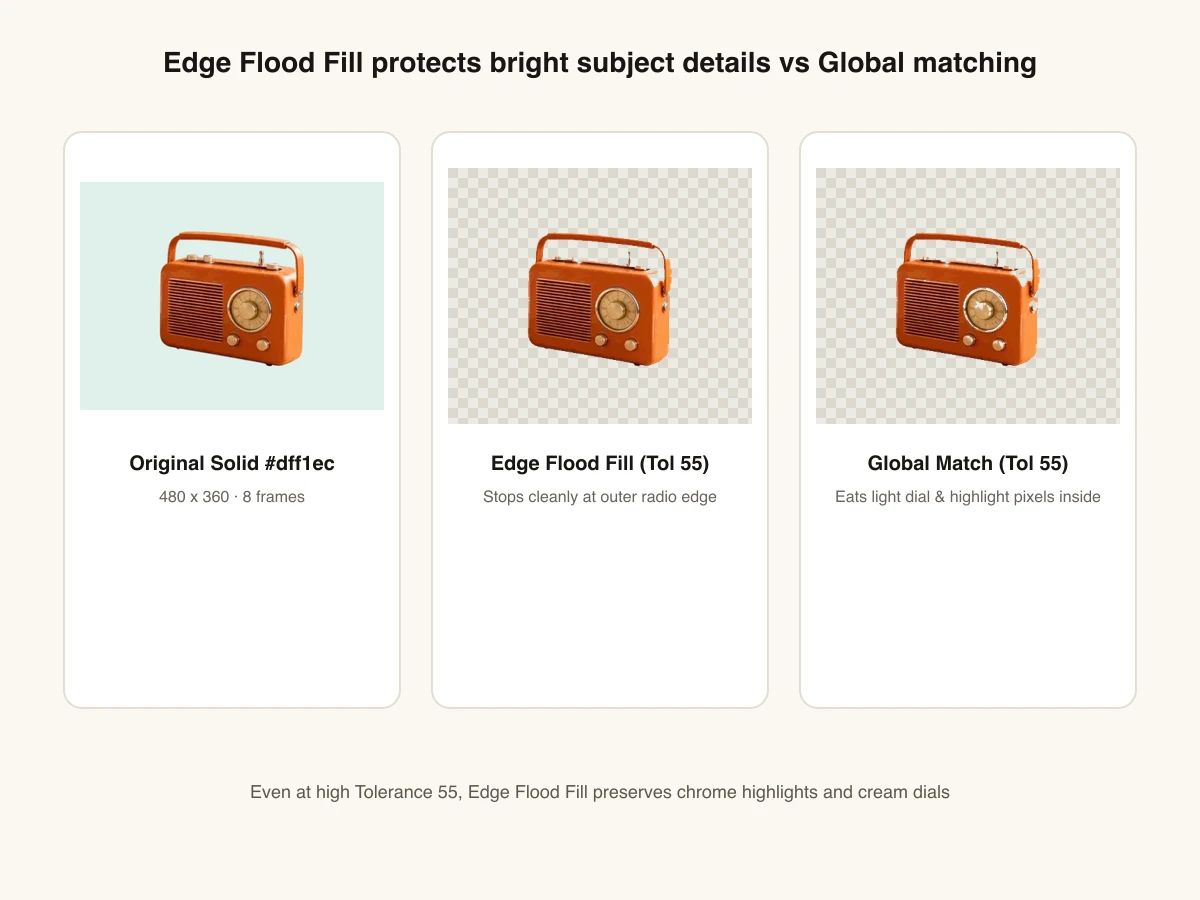
Comparison on radio-solid-bg.gif showing Edge Flood Fill keeping dials intact versus Global Match eroding bright interior tones
1px Edge Defringing & Dark UI Check

Preview transparent halos against dark cards before downloading loops

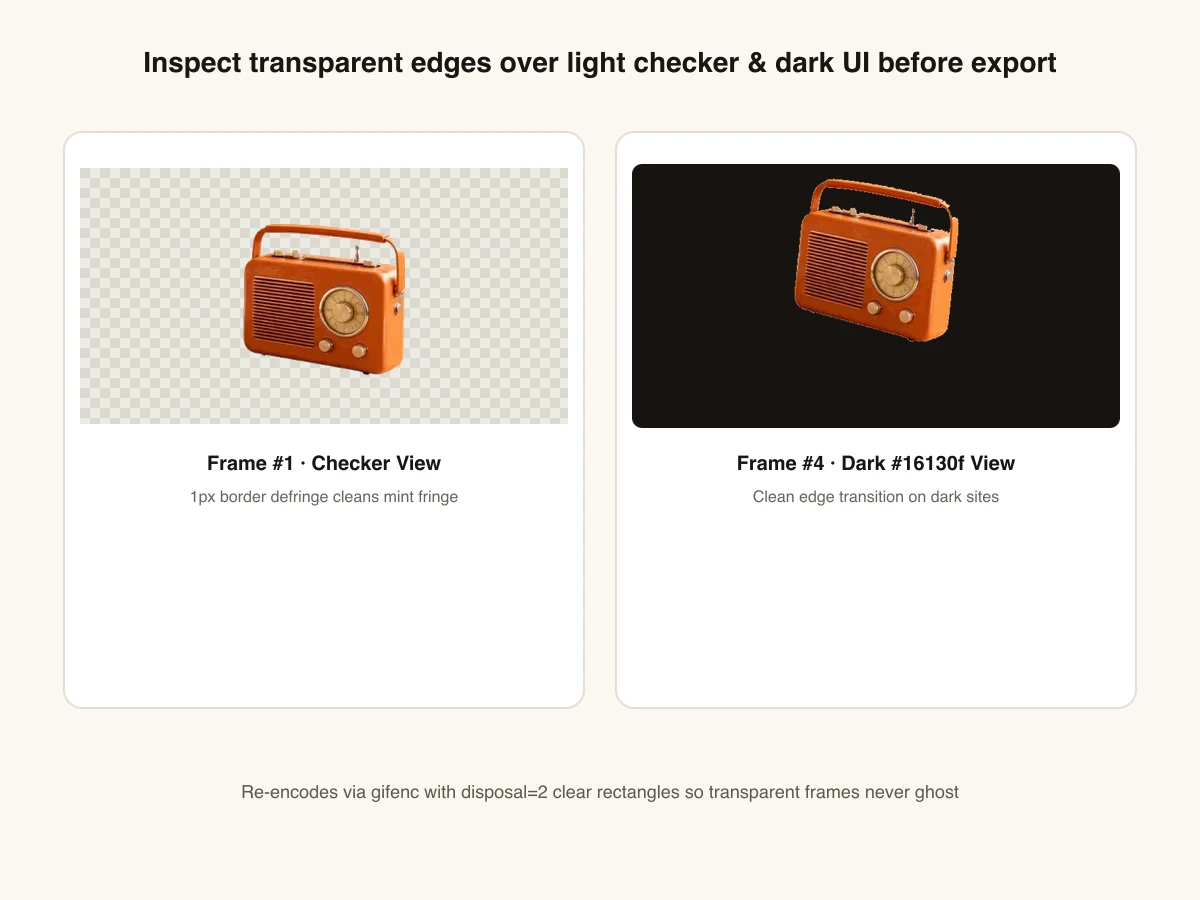
GIF animations exported on bright white pages often carry faint pale rims that only stand out once pasted onto Discord dark mode, Twitch OBS overlays, or Notion dark blocks. Toggle Dark backdrop preview live in the studio, nudge Color tolerance (0-100), and test looping ticks right before clicking Download transparent GIF.

  • Built-in 1px border defringe strips leftover mint, white, or neon green tint from outer edges
  • Live disposal=2 animation preview lets you catch frame flicker before exporting
  • Adjust Key background color visually on the canvas or via direct hex swatch picker
Transparent radio bounce GIF checked over light checkerboard and #16130f dark backdrop after Flood Fill removal

Where transparent GIFs shine vs when APNG, WebP, or PNG frames fit better

Choose the animation container that matches your visual smoothness and platform support needs.

FormatAlpha QualityTypical Browser / App SupportBest LayerSplit Workflow
Transparent GIF1-bit (hard crisp on/off edges)Universal: Discord, Slack, emails, PowerPoint, Notion, OBSSolid-backdrop icons & stickers -> PNG to GIF
PNG frame sequenceFull 8-bit 256-step soft alphaVideo editors, Figma, Phaser, Unity game rigsUnpack crisp alpha frames -> GIF to Frames
Sprite Sheet PNG + JSONFull 8-bit soft alpha in atlasPhaser, Godot, Unity, CSS steps() web headersPack loops into engine sheets -> GIF to Sprite Sheet
Animated WebP / APNGFull 8-bit translucent shadowsModern Chrome, Safari, Firefox (limited email clients)Keep soft drop shadows when email fallback isn't needed

Want soft drop shadows kept smoothly inside an animated GIF? If you control the background color of your site, matte your animation onto that exact solid color instead of forcing transparent 1-bit cutouts.

How to make a GIF background transparent and fix jagged halos

  1. Open a sample or upload a solid-color GIF

    Inspect our solid #dff1ec radio animation immediately, or upload any local uniform-background .gif up to 25 MB.

  2. Click the canvas backdrop & keep Edge Flood Fill on

    Click directly on the background color with the canvas eyedropper, keep Edge Flood Fill active to protect internal highlights, and click inside handle holes if needed.

  3. Dial Color tolerance and verify on Dark view

    Raise Tolerance slowly toward 24-35 if compression halos remain, switch Stage backdrop to Dark, and pause to inspect moving borders.

  4. Export clean transparent disposal=2 GIF

    Click Re-encode preview if checking final file byte weight, or click Download transparent GIF directly.

Four fixes for jagged edges plus top places transparent GIFs work

  • Fix halos: nudge Tolerance slightly without over-eating outlines

    Start around Tolerance 18-24 on crisp vectors, raising gently to 30-40 for JPEG-compressed mint or green screens, and check Dark backdrop view to balance fringe vs thinning.

  • Discord, Slack & Twitch emotes and OBS alerts

    Tiny 128-320 px stickers look ultra-crisp when exported from solid green or #dff1ec renders with clean disposal=2 transitions.

  • Slide decks, product docs & hero badge micro-motion

    Keynote, PowerPoint, and Notion accept transparent looping GIFs reliably where raw SVG animations or WebM videos fail security filters.

  • Without this tool: Photoshop / Premiere or manual frames

    In Photoshop or Premiere, keying green screens or matte layers requires chroma effects before legacy Save for Web (1-bit transparency) or unpacking frames manually via GIF to Frames.

Removing solid vs real-world photo backgrounds

Product stickers, flat 2D logos, screen captures, Canva motion graphics, and 3D turntable renders sitting cleanly on uniform white, mint, black, or chroma green-screen backdrops.

Honest boundaries & frame performance limits

  • Cannot isolate foreground people or pets from busy filmed rooms, foliage, gradients, or moving shadows cleanly with Flood Fill alone. Extract complex photo subjects with AI first via Background Splitter or Extract an Object.
  • Long captures exceeding 120 frames take noticeably longer inside browser 256-color quantization workers; trim long recordings or extract select PNGs beforehand with GIF to Frames.
  • Input .gif files are capped at 25 MB and 64 megapixels total canvas size for stable client memory.

Transparent GIF Maker questions and answers

Can I remove a real photo or busy video background from a GIF here?

No. Edge Flood Fill only deletes pixels matching a uniform or solid chroma backdrop reachable from the perimeter. Live-action camera clips with shifting shadows, sky gradients, or busy walls match objects poorly and require AI video/image segmentation instead (for single frames, try Background Splitter).

Why does a transparent GIF sometimes show a thin white or mint fringe?

Original GIFs blend anti-aliased edge pixels halfway between the subject and white/green backgrounds, while GIF output only supports binary 1-bit on/off transparency. Raise Color tolerance carefully toward 25-35 while inspecting Dark view so the built-in 1px defringe trims tinted halos cleanly.

Does this tool upload my GIF files to any server?

No. GIF decoding (gifuct-js), Flood Fill alpha masking, border defringing, and gifenc quantization run completely inside local browser Web Workers so zero bytes leave your computer or phone.

Is there a frame count or file size limit?

Source GIF files up to 25 MB and 64 MP decode locally cleanly. While short loops (8-120 frames) preview and encode rapidly, very long multi-hundred-frame captures take more time and memory - trim frames first using GIF to Frames.

Why will Edge Flood Fill not punch holes in white highlights inside my subject?

Unlike blind global color keyers, Edge Flood Fill walks strictly inward from the image perimeter (plus any specific pocket pixels you click on canvas), protecting isolated cream dials, teeth, and specular highlights behind dark outlines.

Can I build a transparent GIF directly from a folder of transparent PNG frames?

Yes - use our sister utility PNG to GIF, which stacks transparent PNG stills at custom FPS and writes disposal=2 transparent loops cleanly without needing chroma removal afterward.

Should I use transparent GIF or WebP for Discord, Slack, and OBS?

Standard transparent GIF works everywhere natively inside Slack messages, slides, older mailers, and Discord without conversion friction. Use APNG/WebP or a Sprite Sheet PNG only when smooth 8-bit drop shadows are essential in modern web apps.

Can I unpack individual transparent frames or make a game sprite sheet afterward?

Yes. Drop your finished transparent GIF straight into GIF to Frames to inspect per-frame delays and save RGBA PNGs, or tile frames into an atlas in GIF to Sprite Sheet.

Need AI photo matting or loose PNG animation instead of chroma key?

Use Background Splitter to lift subjects off noisy indoor photos, or compile transparent PNG stills cleanly inside PNG to GIF.

More browser GIF and sprite workflows