GTA 6 Filter: Turn Any Photo Into GTA 6 Art Style

Upload a portrait or lifestyle snapshot to redraw it in saturated GTA 6 loading-screen illustration art with bold black ink outlines, crisp cel shading, and Vice City palm, beach, or neon backdrops while keeping your face recognizable. 10 credits per run.

Your image10 credits · per run

Try a sample (0 credits)

Upload only photos you own or have consent to transform. Uploads stay private and are deleted after 30 days.

Beach Sunset · Sunset · 1536×1536
Preparing preview...Decoding image locally in your browser.
Loading sample

Scene & prompt

10 cr
Scene backdropVice Beach Sunset
0 / 240

Keeps face, hair, pose, and outfit recognizable in bold cel-shaded illustration with zero logos or text.

10 credits per run10 free on Google sign-up

Samples are free. A run that fails is refunded automatically.

Want to separate your illustrated character into hair, face, and outfit PSD layers?Try Character to Layers

Create a GTA style photo without losing facial likeness

Generic comic filters smear skin tones and distort eyes or hairlines, making the person unrecognizable. This GTA filter starts directly from your photograph and redraws the subject with the signature crisp ink linework, warm rim lighting, and painterly cel-shading inspired by the GTA VI art style while locking facial structure, expression, hair flow, and clothing details.

Use the studio as a fast GTA character maker for profile avatars, video thumbnails, or stylized travel portraits across three curated coastal backdrops: Vice Beach Sunset, Neon Night Street, and Palm Boulevard. All showcase samples use AI-generated fictional portraits with zero real brands, zero logos, and zero watermarks.

LayerSplit is not affiliated with, endorsed by, or sponsored by Rockstar Games or Take-Two Interactive. GTA and Grand Theft Auto are trademarks of Take-Two Interactive. Upload only photographs you own or have explicit consent to transform.

Identity-locked cel shading

Drag the split slider across your GTA style photo

Compare the coastal daylight portrait on the left against the redrawn Vice Beach Sunset illustration on the right. Every stray hair lock, smile contour, and thin silver necklace stays aligned while the background transforms into coral-orange dusk clouds, palm silhouettes, turquoise surf, and abstract geometric street-art paint with zero gibberish text.

  • Bold black ink outlines and warm golden rim highlights tailored for portraits
  • Split line opens cleanly to the left of the face so the before/after effect reads immediately
  • True 1536 x 1536 result resolution shown across the canvas header and PNG download
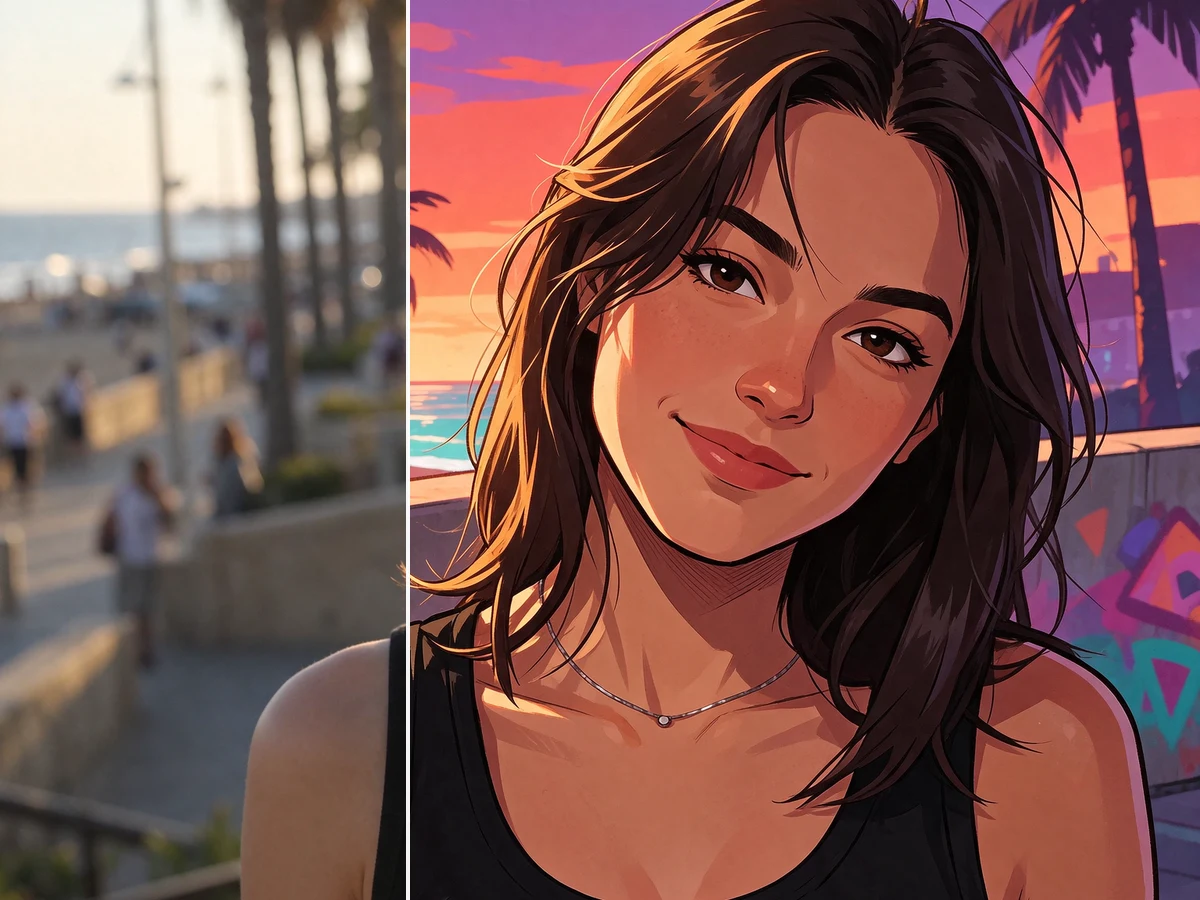
Split comparison showing a coastal daylight portrait redrawn into saturated Vice Beach Sunset GTA 6 illustration art
Three Vice City scenes + custom details

Switch between sunset boardwalks, neon rain, and palm boulevards

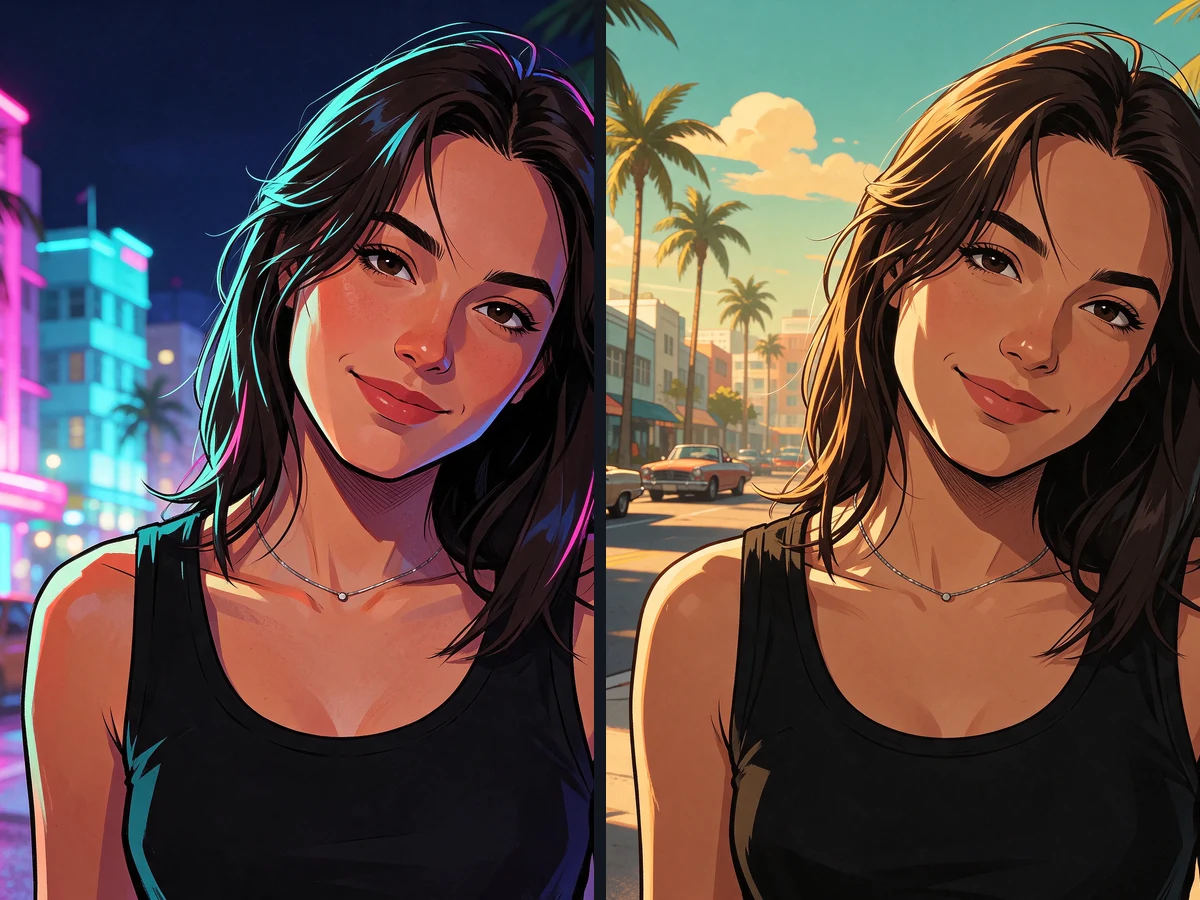
Pick Vice Beach Sunset for warm dusk gradients and abstract seawall paint, Neon Night Street for cyan-and-magenta Art Deco rain reflections, or Palm Boulevard for sunny pastel storefronts and vintage convertibles. Add optional wardrobe or accessory cues up to 240 characters while keeping outputs clean and watermark-free.

  • Three tested Vice City scene presets ready in one click, zero prompt engineering required
  • Strict no-logo, no-badge, and no-text guard keeps generated scenes free of trademarks
  • Automatic 10-credit refund if a run fails or is blocked by safety checks
Side-by-side comparison of Neon Night Street and Palm Boulevard GTA 6 art style portrait variants

Choose the right GTA 6 art style scene for your photo

Every preset preserves facial identity while shifting lighting, rim highlights, and backdrop mood.

Scene backdropLighting & paletteBest photo inputsOutput & cost
Vice Beach SunsetCoral-orange sunset, violet dusk sky, warm golden rim lightOutdoor portraits, beach snapshots, golden-hour selfies1536 × 1536 PNG · 10 credits
Neon Night StreetCyan and hot-magenta rim highlights on wet asphaltEvening portraits, streetwear looks, nightlife headshots1536 × 1536 PNG · 10 credits
Palm BoulevardSunlit teal sky, pastel Art Deco facades, vintage carsDaytime travel photos, sunglasses portraits, casual fits1536 × 1536 PNG · 10 credits
Layer export follow-upSeparate hair, face, and outfit after generatingSend your finished PNG straight into Character to Layers10 credits per delivered layer

Start with Vice Beach Sunset for classic coastal sunset contrast, or switch to Neon Night Street for dramatic dual-tone lighting.

How to make a GTA style photo in four steps

  1. Preview the three Vice City samples for 0 credits

    Click Beach Sunset, Neon Street, or Palm Boulevard on the left strip and drag the before/after divider across the portrait.

  2. Upload a portrait you own or have consent to edit

    Drop, paste, or pick a clear PNG, JPG, or WebP up to 20 MB with unobstructed eyes, hair, and shoulders.

  3. Choose a scene preset and optional details

    Select Vice Beach Sunset, Neon Night Street, or Palm Boulevard, and optionally add up to 240 characters such as sunglasses or jacket style.

  4. Apply GTA 6 filter and download your PNG

    Click Apply GTA 6 filter (10 credits), inspect the side-by-side split, and download the full-resolution PNG with zero watermarks.

Compare Credit Packs

LayerSplit is not affiliated with, endorsed by, or sponsored by Rockstar Games or Take-Two Interactive. GTA and Grand Theft Auto are trademarks of Take-Two Interactive.

When this GTA 6 filter shines

Creators turning personal portraits into bold GTA 6 art style social avatars, banners, and video thumbnails

Travelers and friends reimagining coastal, street, or night photos as Vice City loading-screen illustrations

Designers generating a stylized GTA character maker portrait before splitting parts in Character to Layers

Anyone wanting clean artwork without fake game logos, watermarks, or garbled street-sign text

Content rules and better-fit tools

  • Only upload photos of yourself or people who gave explicit permission; no minors, non-consensual edits, or impersonation
  • Outputs intentionally omit Rockstar, Grand Theft Auto, or GTA VI logos, title badges, and third-party brand marks
  • To separate an existing illustration into transparent hair, face, and outfit PSD layers, open Character to Layers
  • To extract one isolated foreground object onto a clean transparent layer, use Extract Object from Image

GTA 6 Filter FAQ

What does the GTA 6 filter do to my photo?

It redraws your uploaded portrait in bold black ink outlines, crisp graphic-novel cel shading, and saturated coastal sunset or neon lighting inspired by the GTA VI art style, while keeping your facial features, hair, pose, and outfit recognizable.

Can I use this as a GTA character maker for profile pictures?

Yes. Upload a clear front or three-quarter portrait, pick Vice Beach Sunset, Neon Night Street, or Palm Boulevard, and optionally add details like aviator sunglasses or a jacket to generate a custom GTA style photo ready for avatars and thumbnails.

How are the three scene presets different?

Vice Beach Sunset sets warm coral-and-violet dusk skies behind palm silhouettes and abstract painted seawalls. Neon Night Street adds cyan and magenta Art Deco rain reflections. Palm Boulevard places you along a sunlit pastel avenue with vintage convertibles.

Does the filter render GTA logos, game title badges, or watermarks?

No. Prompts explicitly instruct the model to avoid any Grand Theft Auto or GTA VI logos, third-party brand marks, readable signage text, and watermarks so every output stays clean and usable.

Is LayerSplit affiliated with Rockstar Games or Take-Two Interactive?

No. LayerSplit is not affiliated with, endorsed by, or sponsored by Rockstar Games or Take-Two Interactive. GTA and Grand Theft Auto are trademarks of Take-Two Interactive, referenced descriptively for the illustrated coastal art aesthetic.

What photos are allowed and how long are uploads stored?

You may only upload photos you own or have explicit consent to transform. PNG, JPG, and WebP files up to 20 MB are supported, stay private to your account, and are automatically deleted after 30 days.

How much does it cost and what happens if a run fails?

Each generation costs 10 credits. New Google sign-ups receive 10 free credits (plus a daily check-in for extra credits), samples cost 0 credits, and any run that fails or is blocked by safety checks refunds its 10 credits automatically.

Try the GTA 6 filter with 10 free credits, then download your PNG

Sign in with Google and get 10 free credits, enough for One element, then check in daily for more.

Discover more LayerSplit workflows