Logo to Layers: Split Icon, Emblem and Text in PNG
When clients only send a flat PNG or screenshot logo, recoloring one accent color or switching from stacked to horizontal layout gets stuck. Separate the icon mark, geometric badge, wordmark and tagline onto individual transparent layers.
Your imageLogo preset
Mode
Layer count
Optional
Guides both the free preview boxes and the final split.
Free preview: see every layer and the price first. 10 free credits with Google sign-in.
Or try a sample4 real splits
Northpeak outdoor brand logoSample split · free to explore and download
2 editable
Loading layers0 / 7
Drag a layer, or double-click any text to edit.
6 layersplus the filled background
Subtitle TRAIL & CAMPEditable · Raleway 54px
Headline NORTHPEAKEditable · Montserrat 164px
Right Star IconGraphic
Left Star IconGraphic
Geometric Mountain PeaksGraphic
Orange SunGraphic
Background (filled)Filled in behind every layer
Editable text layers use matched free Google Fonts; Download PSD includes Photoshop type.
Icon + emblem + wordmark
Rearrange lockups and recolor marks in Photoshop without magic wand jagged edges
Instead of chasing anti-aliased fringes around merged brand letters and symbols, prefilled separation notes guide the AI planner to isolate each symbol shape, badge frame and headline wordmark into its own PNG or PSD pixel layer over an unbroken backdrop.
Icon mark and brand typography come out on separate layers ready for Hue/Color Overlay in Photoshop
Convert vertical emblem+text lockups into wide navbar lockups in seconds
Transparency in uploaded logo PNGs stays crisp across every separated mark
Starting from a vector .svg brand file instead of a PNG? Rasterize crisp 4x transparent masters first with SVG to PNG.
Brand designers, print shops and web builders adapting flat client PNGs, AI-generated logo concepts or hackathon badges into flexible dark/light lockups.
What the logo splitter does not generate
Layers are high-resolution raster PNGs up to 2,560 px wide, not editable SVG vector bezier paths.
Each layer is redrawn by AI from your image, so small details in fine text, faces or textures can differ from the flat original.
Stylized custom wordmarks stay raster pixel layers rather than editable Photoshop font strings.
Pay per layer. Start with free credits.
A layer, One element pull, or AI Style Match text restyle costs 10 credits, while Quick Type edits and the filled background are free. Subscribe for the lowest price per layer, or buy a pack once and use it whenever you like.
Free
$0
One element, then a daily check-in
10 credits on sign-up: One element
Check in daily: up to 100 credits a week
Sign in with Google, no card
Every layer downloadable
Basic
$12.00/ month
About 140 layers a month
$0.086 per layer
1,400 credits every month
Cancel anytime
Lowest price per layer
Pro
$36.00/ month
About 450 layers a month
$0.08 per layer
4,500 credits every month
Cancel anytime
Or pay once
No subscription. Pack credits do not expire while your account is active.
$9.90Starter pack
90 layers$0.11 per layer
$24.90Plus pack
240 layers$0.10 per layer
$59.00Studio pack
620 layers$0.095 per layer
Every plan and pack: PNG, ZIP and layered PSD export
A failed split costs nothing
Secure checkout by Stripe
Secure checkout through Stripe. A pack or a subscription only adds credits to your account. USD prices. Review the final amount and any applicable tax at checkout before paying. Packs never renew; a subscription renews each period until you cancel it in your account. Unused credits can be refunded within 7 days of the payment that added them. The credit cost shows before each layer; finished results need no second payment to view or download.
Logo to layers: questions and answers
Is there a free trial?
Yes. Sign in with Google and get 10 credits, enough for One element: one layer extracted from your image, with the filled background free. Then check in daily for more credits: a full week adds 100, enough for a split of up to 10 layers. No card is needed, and the sample splits can be explored and downloaded without an account.
What does a split include?
Every layer as a transparent PNG, a ZIP of all layers with a font list, and a layered PSD with Photoshop type layers for editable text, with no watermark.
Which files can I upload?
PNG, JPG or WebP, up to 20 MB.
How large is the output?
Up to 2,560 px on the long side. A larger upload is scaled down to that before it is split.
How many layers do I get?
Usually 4 to 16 and at most 16, plus a filled background that is never charged. Related items are grouped, so a set of ice cubes or a line of text can sit on one layer.
Is the part hidden behind an object restored?
Yes. An object partly covered by another comes back whole. Each layer is redrawn by AI from your image, so hidden parts are completed and small details can differ.
Is the text editable?
Yes. Clean readable text is matched automatically to a curated open-source Google Font (~97 self-hosted faces), size, colour, letter-spacing and tilt angle so you can edit copy free in Quick Type and export real Photoshop type layers. Stylized wordmarks, curved lettering, heavy outlines and textured headlines keep their artwork intact: edit them with AI Style Match (10 credits per layer) to re-render new words in the original style, or hide the stylized layer and place free Quick Type over it.
What happens when I edit the text?
Quick Type (free) re-renders readable text live using the loaded Google Font, tracking, rotation and stroke/shadow, and writes Photoshop type layers into the PSD (with optional system-font fallback). AI Style Match (10 credits per layer) takes about 15-25 seconds to re-render a stylized pixel text layer with your new words while preserving its texture, outline and perspective; you can hold to compare with the original, revert at no extra cost, or keep it as an honest `(AI restyled)` pixel layer in PNG, ZIP and PSD exports. Short headlines work best (long phrases can occasionally slip on spelling), and failed runs are refunded automatically.
What does a layer cost?
10 credits a layer (and 10 credits per AI Style Match text restyle; Quick Type edits are free). The background is free, and anything that fails or is not delivered is refunded automatically.
How long does a split take?
Usually about a minute, up to 2 with many layers. You can leave the page; the result is saved in My splits.
What happens to my images?
Uploads and results are private to your account and are deleted after 30 days. Download anything you want to keep.
How can I change logo colors in Photoshop if I only have a flat PNG?
Split the logo first so the icon symbol, badge ring and text sit on independent layers, then apply a Color Overlay layer style to each piece without masking.
Does it output vector SVG files?
No. LayerSplit returns clean transparent PNG files and a layered pixel PSD up to 2,560 px on the long side. To convert a crisp flat mark into scalable paths locally, trace it with PNG to SVG, or design vinyl decals with AI Sticker Generator.
Can it separate stacked overlapping emblems from text?
Yes. Even when the icon overlaps or sits behind wordmark letters, each piece renders onto its own layer with covered sections filled back in.
Try logo to layers with 10 free credits
Sign in with Google and get 10 free credits, enough for One element, then check in daily for more.


 Subtitle TRAIL & CAMP
 Headline NORTHPEAK
 Right Star Icon
 Left Star Icon
 Geometric Mountain Peaks
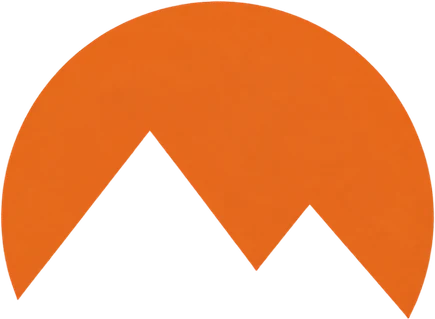 Orange Sun
 Background (filled)