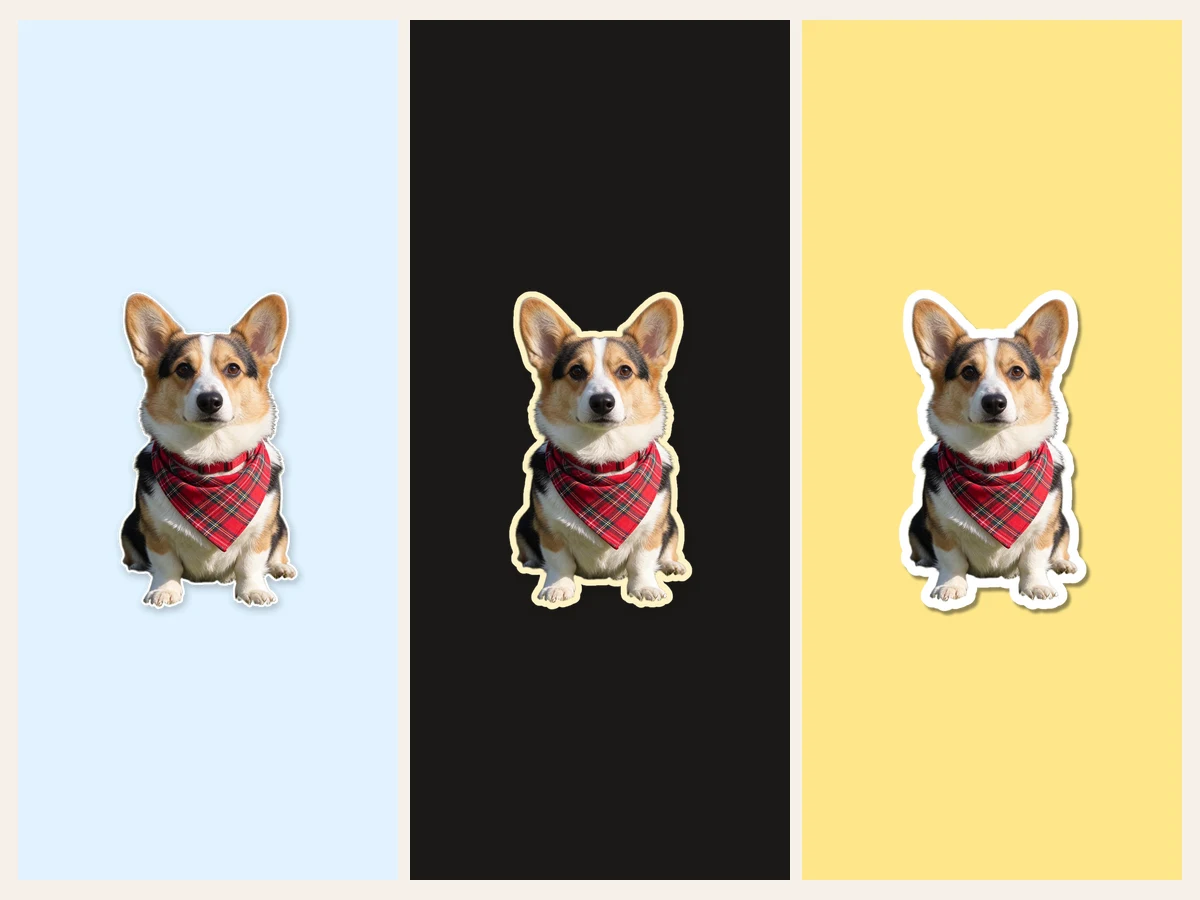
Photo to Sticker: Turn Pets, Portraits & Merch Into Die-Cut Vinyl PNGs

Isolate any snapshot into a smooth rounded sticker with custom outlines, optional peel shadows, and one-click WhatsApp WebP or Telegram exports at 5 credits per photo.

Your image5 credits · once

Try a sample (0 credits)

Uploads stay private and auto-delete after 30 days. Local refine sliders never re-spend credits.

Park Corgi · 1536 x 1536
Free sample
Preparing preview...Decoding image locally in your browser.
Die-cut sticker readyReady

Sticker finish

Local · 0 cr
16 px
Border color#FFFFFF
Drop shadow
Output preset
5 credits per upload10 free on Google sign-up

Samples and all sliders on this panel run locally at 0 extra credits.

Want only the clean subject cutout without a die-cut border?Try Transparent Background Maker

Why smooth Euclidean die-cut borders matter for print cutters and chat apps

Turning a casual dog snapshot, iced latte shot, or cosplay selfie into a crisp sticker fails quickly when outlines rely on naive box expansion or jagged threshold blurring. Box padding forms blunt diamond corners around fur tufts, while simple drop-shadow stacking leaves tiny floating speckle dots detached from the subject outline.

This photo to sticker studio separates your clean foreground matte via recraft/remove-background (5 credits once, refunded automatically on model failure), then runs a true two-pass 2D Euclidean distance transform directly inside browser memory. Borders expand concentrically around ears, bandanas, and paws with smooth anti-aliased bevel curves.

Switch seamlessly between clean unshadowed vinyl-cutter sheets (None / Cricut), realistic matte paper peel shadows, bold comic black edges, and exact 512 px messaging presets tuned to meet WhatsApp (<100 KB WebP) and Telegram size rules with zero trial-and-error.

WhatsApp & Telegram Ready

Hit strict 512 px messaging pack rules automatically on export

Building a WhatsApp sticker pack fails silently whenever an asset exceeds 512 x 512 px or creeps past 100 KB, while Telegram rejects non-PNG uploads larger than 512 px on the long side. Select 512 WhatsApp or 512 Telegram under Output preset and the browser packs centered padded art, automatically balancing WebP quality under 98 KB without losing fur clarity.

  • 512 WhatsApp centers inside 512x512 canvas & compresses under WhatsApp's 100 KB cap
  • 512 Telegram preserves sharp lossless RGBA transparency scaled accurately to 512 px
  • Full PNG keeps maximum native pixel dimensions for Shopify merch shops and Etsy digital packs
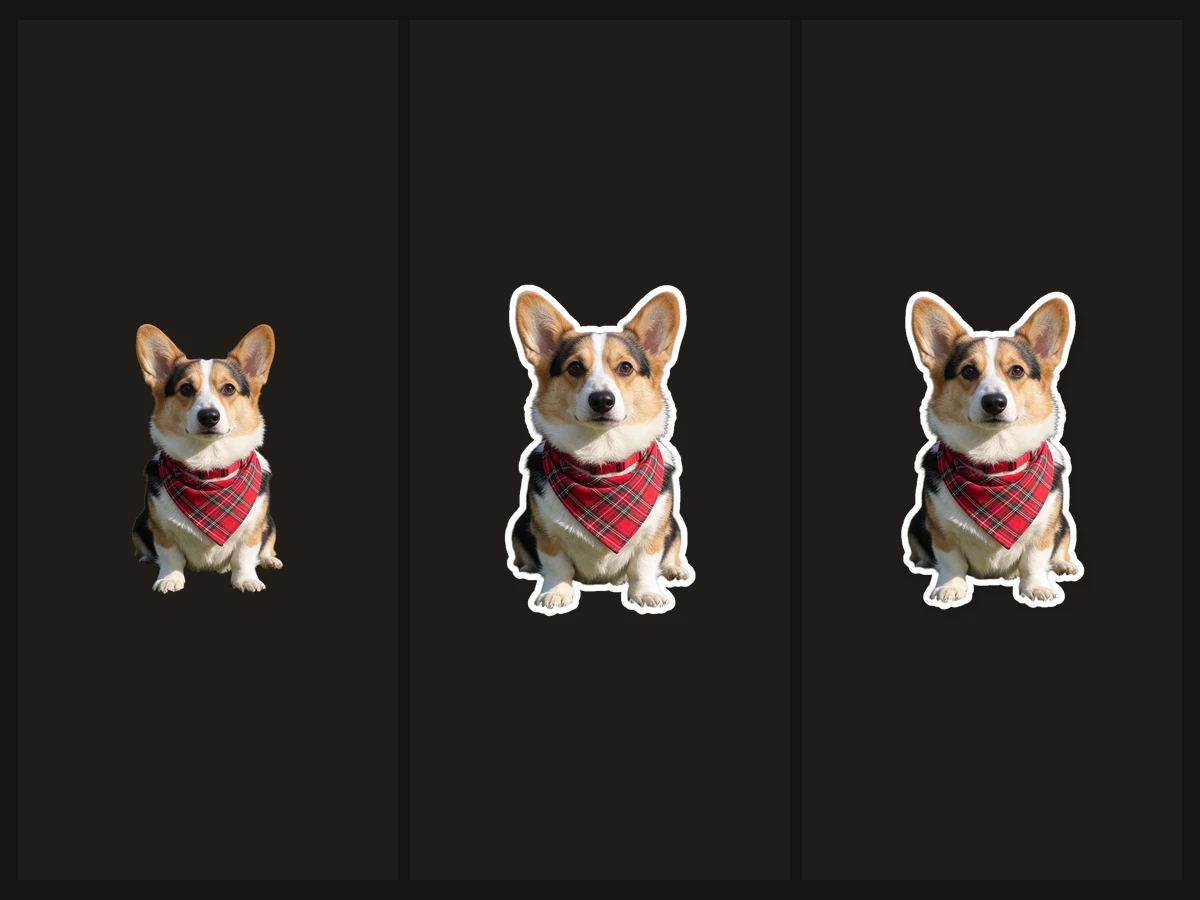
Comparison on corgi photo showing pure cutout, clean unshadowed Cricut die-cut white border, and soft peel shadow sticker finishes
Print & Cricut Silhouette Geometry

Choose None (Cricut) for clean plotter kiss-cuts or Soft Peel for social feeds

Drop shadows ruin blade tracing inside Cricut Design Space and Silhouette Studio by tricking automatic path detection into cutting fuzzy gray clouds. Switch Drop shadow to None (Cricut), boost Outline thickness to 16-24 px for durable peel handling, and verify white margins visibly against our studio dark preview toggle before cutting matte sheets.

  • Preview light white vinyl borders against #16130f studio dark canvas anytime
  • Continuous smooth stroke encloses furry textures cleanly for single-piece vinyl cuts
  • Five curated border tones (White, Cream, Ink Black, Mint, Coral) plus custom hex picker
Three sticker border finishes compared on the corgi sample: thin 6 px hairline, standard 16 px white vinyl die-cut, and 24 px bold comic edge

Sticker export presets mapped to destination specs

Pick the output target that fits either digital chat stickers or physical kiss-cut printing.

Preset ModeDimensions & FormatRecommended ShadowBest Destination
512 WhatsApp512 x 512 centered WebP (<100 KB)Soft peel or NoneWhatsApp Android/iOS personal sticker packs
512 Telegram512 px long side RGBA PNGSoft peel or Bold comicTelegram @Stickers bot custom sets & Discord
Full PNG (Cricut)Full isolated resolution RGBA PNGNone (Cricut)Cricut Design Space, Sticker Mule, Silhouette Studio
Full PNG (Social)Full isolated resolution RGBA PNGSoft peel or Bold comicNotion covers, Figma moodboards, iMessage drag-drop

Printing stickers on colored vinyl stock or designing SVG vector cuts instead? Pair full-size outputs with Pixel Art or Stencil Maker.

How to convert a photo into a die-cut sticker in seconds

  1. Experiment with all border & shadow presets free on samples

    Click through our corgi pet photo, espresso machine, and portrait samples to test 0-32 px outline thickness, custom border colors, and Cricut vs. soft-peel shadows free.

  2. Upload your own snapshot (5 credits per subject isolation)

    Log in with Google for 10 starter credits (two full photos). Any PNG, JPG, or WebP up to 20 MB uploads privately and auto-refunds if Provider1 fails.

  3. Set border thickness, color & shadow style locally

    Keep 14-18 px white border with Soft peel for snappy social chat stickers, or switch to None (Cricut) for clean plotter paths without hazy shadow rings.

  4. Export Full PNG, 512 WhatsApp WebP, or 512 Telegram PNG

    Switch presets infinitely with zero extra credits spent, or copy straight to clipboard to drop onto Figma boards and Slack threads.

Where our photo-to-sticker maker excels

Renders mathematically smooth circular borders around irregular fur, ears, and props via exact 2D distance transform

Auto-compresses 512x512 WhatsApp WebP stickers strictly below WhatsApp's 100 KB upload limit

Includes dedicated shadow-free None (Cricut) rendering so vinyl cutting plotters trace clean perimeter paths

Preserves your original uploaded image credits safely whenever local sliders change after AI completion

Honest boundaries and workflow scope

  • Does not export animated looping chat stickers - for looping GIF animations, visit PNG to GIF or Transparent GIF Maker
  • Does not add vector text badges or comic speech bubbles directly inside this canvas - take your sticker PNG into PNG to PSD or design suites for typography
  • Does not generate synthetic new backgrounds behind cut shapes - use Blur Background to retain depth instead

Photo to Sticker FAQ

Does changing outline width, color, or shadow presets cost extra credits?

No. Five credits covers the single AI foreground cutout on your uploaded file. Adjusting 0-32 px borders, choosing ink black or pastel vinyl borders, swapping shadows, and downloading Full PNG, WhatsApp WebP, and Telegram PNG exports all run locally for 0 extra credits.

Why does None (Cricut) remove the drop shadow?

Die-cut vinyl printers like Cricut and Silhouette trace outer alpha boundaries automatically. Soft semi-transparent shadows confuse cut-path offsets into jagged rough borders. Choosing None (Cricut) guarantees clean solid 100% alpha outer margins.

Does the WhatsApp preset really fit inside 512x512 px and under 100 KB?

Yes. Selecting 512 WhatsApp pads and scales the trimmed sticker cleanly into a 512x512 transparent square and adaptively adjusts WebP quality down only as needed to keep the resulting file cleanly under 100 KB.

Can I make stickers from animated GIF loops or multi-subject collages?

Photo to Sticker processes static PNG, JPG, and WebP photos. For multi-element collages where props should become separate layers instead of one combined cutout, try Image Layer Separator or Extract an Object.

Why are edges rounder than simple rectangle boxes or shadow filters?

Because the sticker outline calculates exact 2D squared Euclidean distances around the silhouette mask in browser memory, forming circular caps around every whisker, paw, and corner rather than octagonal or square halos.

How private are pet and family portraits uploaded to the sticker maker?

Files sit inside private Cloudflare R2 storage scoped exclusively to your session, never serve public links without authentication, and automatically expire after 30 days.

Need bare transparent cutouts or blurred depth instead?

Switch between 32-bit transparent PNGs, creamy lens bokeh, or full editable Photoshop layers on LayerSplit.

Explore more LayerSplit tools