Free Silhouette Maker: Turn a Photo into a Silhouette

Create clean silhouettes offline in your browser with zero uploads or watermarks: extract backlit portraits via Brightness cutout or flatten transparent PNGs with Alpha mask, dial threshold and edge feathering, and export a transparent PNG free.

Opening browser tool…

What is a photo silhouette, and when Brightness vs Alpha mode fits best

A classic graphic silhouette collapses three-dimensional lighting and internal details into one crisp single-color shape set clearly against a high-contrast or transparent backdrop. Rather than smudging photos with heavy blur, our free silhouette maker computes clean per-pixel cut boundaries inside your browser worker and outputs smooth semi-transparent anti-aliased edges.

Depending on your starting file, choose Brightness cutout to pull dark golden-hour figures, dancers, trees, or pets off bright sky backgrounds, or switch directly to Alpha mask whenever you already have a clean transparent cutout or PNG logo and need an instant black, white, or brand-colored stamp.

Exports render strictly as crisp raster PNG files locally up to 25 MB and 64 megapixels with zero server transmission.

Backlit Brightness Cutout

Turn backlit portraits and action shots into smooth transparent PNGs

Point Brightness cutout at golden-hour profiles, jumping athletes, skylines, or products shot against white foam core. Slide Cutout threshold between 15 and 240 to catch extended arms and shoe contours cleanly while raising Edge feather (1-3 px) softens hairline transitions.

  • Backdrop switch previews transparent checkerboard, crisp #ffffff, #f5f2ec cream, or dark #16130f cards live
  • Tick Invert subject / backdrop mask when filming a bright studio dancer on black curtains
  • Split compare bar lets you line up original shoulder/jaw contours pixel for pixel
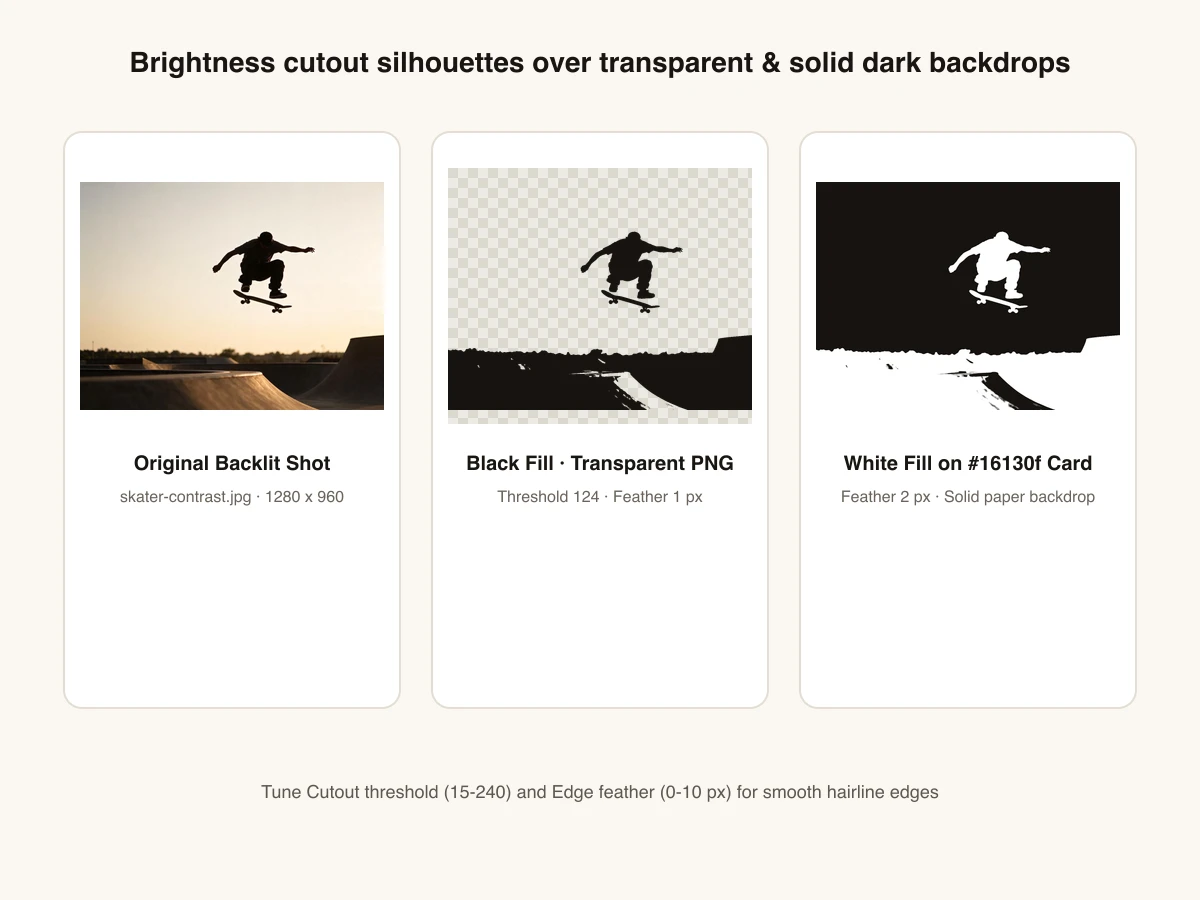
Backlit skateboarder photo converted into a transparent black silhouette PNG and white-on-black contrast card
Alpha Mask Stamps & Custom Inks

Flatten transparent PNG logos, stickers, and characters into single-tone icons

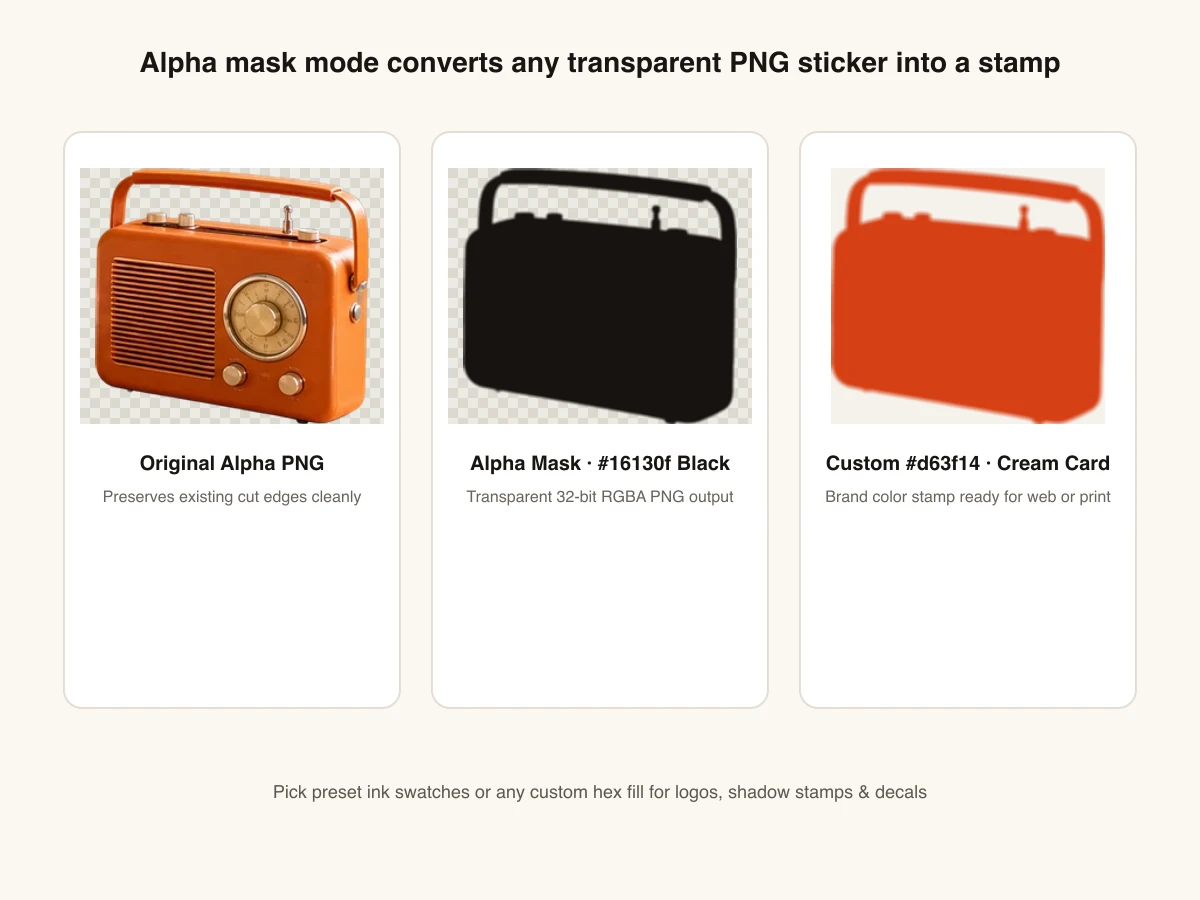
Whenever an illustration, radio sticker, or company badge already has a transparent background, switch Cutout mode to Alpha mask. The worker ignores busy interior shading completely, reads only the clean alpha boundary, and pours your chosen ink swatch evenly across the silhouette.

  • Built-in ink swatches (#16130f, #ffffff, #d63f14, #1d4ed8, #0f766e) plus custom hex color picker
  • Creates clean shadow layers, mystery-character teaser graphics, or brand watermarks in seconds
  • Outputs crisp partial-alpha edges ready for Figma, Keynote, Photoshop, or PNG to GIF
Transparent radio cutout PNG stamped into solid black and vermilion red silhouettes via Alpha mask mode

Threshold and edge feathering reference by source photo type

Dial starting values matching your input contrast so limbs stay crisp and holes stay closed.

Input Photo / GraphicCutout ModeStarting Threshold & FeatherPractical Adjustment Tip
Golden-hour / sky-backlit portraitBrightness cutoutThreshold 115-135 · Feather 1-2 pxDrag threshold slightly down if clouds darken behind arms
Bright studio product on white paperBrightness cutoutThreshold 190-220 · Feather 1 pxUse high threshold so white glare stays backdrop, not object
Light subject on pitch-black stageBrightness cutout + InvertThreshold 45-70 · Feather 2 pxCheck Invert mask so bright subject becomes solid fill
Transparent cutout PNG or extracted layerAlpha maskThreshold ignored · Feather 0-1 pxCleanest route for crisp logo stamps and game shadows
Subject sitting in cluttered indoor roomAI extract -> Alpha maskSplit first -> Feather 1 pxRun Background Splitter or Extract an Object first

Real-world living room backgrounds share midtone brightness with hair and clothing. Separate cluttered scenes in Background Splitter first, download the transparent PNG, and drop it right into Alpha mask here.

How to make a silhouette from a photo online

  1. Open a sample or local JPG, PNG, or WebP

    Test immediately on our backlit skateboarder shot or illustrated portrait, or drop any image up to 25 MB.

  2. Select Brightness cutout or Alpha mask

    Pick Brightness cutout for high-contrast photography, or Alpha mask for transparent PNG decals and AI object cutouts.

  3. Tune Cutout threshold, feather, ink, and invert

    Slide Threshold (15-240) to isolate the exact figure, soften jagged edges with Edge feather (0-10 px), and choose fill and backdrop colors.

  4. Download Transparent PNG or solid card PNG

    Leave Backdrop set to Transparent for 32-bit RGBA PNG cutouts, or pick White, Cream, or #16130f to bake a framed card.

Browser Silhouette Maker vs Canva, Photoshop, and Lightroom

Choose the fastest path depending on whether you need fast PNG stamps or multi-purpose vector editing.

ToolHow You Create a SilhouetteBest Fit & Clear Boundary
LayerSplit Silhouette MakerLive Brightness or Alpha slider + feather + instant PNG exportFastest zero-upload backlit & alpha stamps; outputs PNG (no Cricut SVG paths)
PhotoshopSelect Subject -> Layer Style Color Overlay -> Export PNGFine hair masking via Select and Mask inside complex cluttered portraits
CanvaBG Remover (Pro) -> Duotone / Brightness -100Quick social flyers once inside a paid Canva Pro team workspace
LightroomLower Exposure / Shadows & Blacks sliders; boost Whites on backdropBatch color-grading RAW golden-hour photography without transparency export

Popular photo to silhouette project ideas

  • Side profile portraits & framed minimalist posters

    Stand a person sideways in front of a bright window or overcast sky, capture the side profile clearly, and export black #16130f silhouettes on #f5f2ec warm paper.

  • Pet collars, paw prints & crisp brand icons

    Extract dogs or cats sitting in rooms via Extract an Object or Image Layer Separator, then switch to Alpha mask for solid charm stamps.

  • Mystery reveals & game character teaser frames

    Convert transparent character sprites into dark shadow cards before launch, then animate black-to-color reveals cleanly inside PNG to GIF.

  • Multi-band craft cutting patterns instead

    When physical Mylar or cardstock crafting requires trapping floating white paper islands with cut bridges, switch directly to Stencil Maker.

Practical inputs & format clarity

Designers building clean UI shadow badges, educators creating portrait keepsakes, podcasters styling guest silhouettes, and crafters turning high-contrast shots into bold PNG templates.

Exact export boundaries to know

  • Outputs lossless transparent or solid-backdrop PNG files up to 25 MB / 64 MP. It does NOT export SVG vector cut files for Cricut Design Space or cutting plotters directly.
  • Complex cluttered rooms without clear tonal separation blend furniture with clothing in Brightness cutout mode. Split crowded scenes first in Background Splitter or PNG to PSD.

Silhouette Maker questions and answers

Is there a free way to turn a photo into a silhouette online with no sign-up?

Yes. Brightness cutout, Alpha mask, threshold, edge feathering, ink swatches, and transparent PNG downloads all run free inside your browser tab with no sign-in and no watermarks.

How do I turn a portrait photo into a clean black silhouette?

Upload a high-contrast backlit or white-wall photo, keep Cutout mode on Brightness cutout, slide Threshold until background artifacts vanish, bump Edge feather to 1-2 px for smooth skin edges, and click Download Transparent PNG.

Can I use this silhouette generator smoothly on iPhone or Android phones?

Yes. On 390 px phone viewports, the live split-compare stage stays cleanly above thumb-friendly mode toggles, threshold sliders, ink swatches, and a sticky bottom Download button.

Does it work well on golden-hour backlit photos?

Yes. Backlit photography where figures read dark against sunset skies or bright windows separates cleanly in seconds using Brightness cutout with default threshold ~124.

Are any uploaded photos transmitted to servers?

No. Both image decoding and pixel alpha calculations happen inside local browser Web Workers; your pictures stay strictly on your device.

Can I create a white silhouette on a black background?

Yes. Set Silhouette fill color to White (#ffffff), click #16130f under Backdrop (or tick Invert when starting from white-on-black source graphics), and export.

Can this tool export an SVG vector cut file for Cricut or vinyl cutters?

No - it generates clean raster PNG files only (which can still be uploaded as Simple Cut images inside Cricut Design Space, or used as stencils via Stencil Maker), rather than emitting raw SVG curves.

What is the difference between Brightness cutout and Alpha mask mode?

Brightness cutout looks at light vs dark luminance to pull dark shapes off bright skies. Alpha mask ignores pixel colors completely and turns any pre-cut transparent PNG into an even single-color silhouette.

Can I make a silhouette from a pet or cluttered product photo?

Only if the subject sits against a bright uniform wall or transparency. For cluttered rooms or grassy yards, first isolate the pet cleanly in Background Splitter or Image Layer Separator, then drop that PNG into Alpha mask here.

Want full-color extracted cutouts over busy rooms instead?

Use AI layer splitting to lift detailed people, pets, or products out of noisy photos while keeping their real colors and reconstructed backgrounds.

More browser cutout and silhouette tools