Thumbnail to Layers: Turn YouTube Thumbnails into PSD
Only have a rendered JPG cover when a video title, price stat or reaction face needs updating? Split flat thumbnails into separate text, character, arrow and backdrop layers for instant Photoshop or Canva swaps.
Your imageThumbnail preset
Mode
Layer count
Optional
Guides both the free preview boxes and the final split.
Free preview: see every layer and the price first. 10 free credits with Google sign-in.
Or try a sample5 real splits
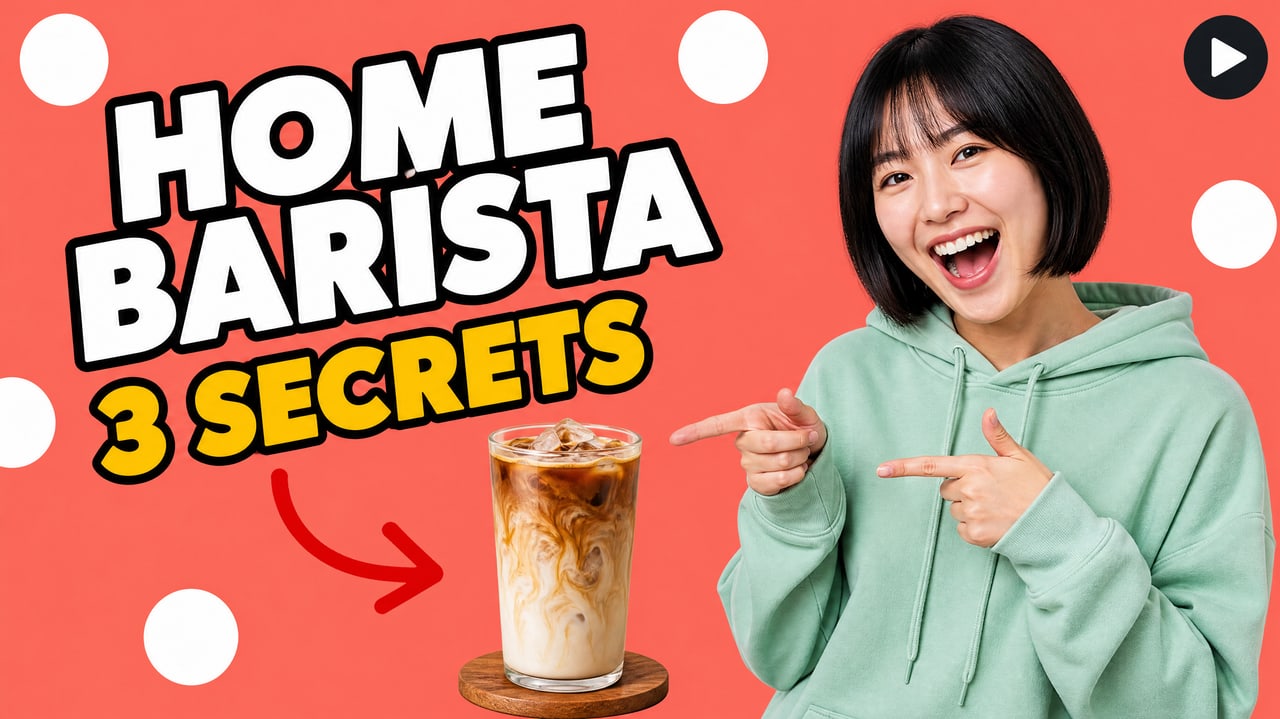
Barista secrets video thumbnailSample split · free to explore and download
1 stylized · AI
Loading layers0 / 7
Drag a layer or hide it with the eye.
6 layersplus the filled background
Happy Woman PointingObject
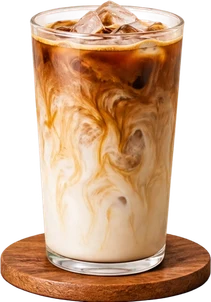
Iced Coffee Glass on Wooden CoasterObject
Play Button IconGraphic
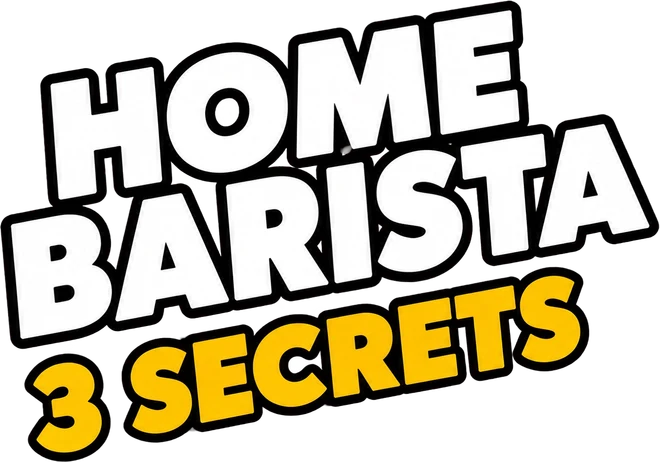
Headline Text HOME BARISTA 3 SECRETSStylized · AI · stays pixels
Red Curved ArrowGraphic
White Polka Dots (set of 5)Graphic
Background (filled)Filled in behind every layer
Editable text layers use matched free Google Fonts; Download PSD includes Photoshop type.
Built for YouTube & Shorts workflows
Swap click-worthy headlines and arrows without rebuilding your template
Instead of painting over bold headline text in an exported cover JPG, LayerSplit separates the display words, pointer arrows, hero object and character onto transparent layers while completing the bright background behind them. Turn any strong past cover into an editable template PSD.
Bold display text separates cleanly so A/B title tests take seconds
Red arrows, badges and UI cards keep transparent alpha margins
Download a layered PSD (with Photoshop type for clean lines), a PNG pack or a flat edited PNG
The original thumbnail. The title is baked into the picture.
Turn flat thumbnails into reusable channel assets
A/B test thumbnail copy fast
Hide the old headline layer over the unbroken background and drop in updated phrasing or stats in Photoshop or Photopea.
Shift composition for Shorts & feeds
Nudge reaction subjects left, shrink props such as the coffee glass to avoid YouTube duration timestamps in the bottom corner, or widen a tight frame cleanly via AI Image Extender.
Translate high-performing thumbnails
Keep the proven illustration and colour hierarchy intact while localizing titles for Spanish, German or Japanese channels manually or directly with Translate Image.
Split cluttered badge clusters again
If several small graphics, such as a set of polka dots, came back on one layer, run Split again on that single result layer.
Real thumbnail and poster splits to explore
Inspect the layered breakdown of a video cover before dropping in your own design.
Creators remixing legacy video covers whose Figma or PSD files vanished, plus thumbnail designers building reusable template libraries for clients.
Notes on stylized cover lettering
Readable text is matched to open-source Google Fonts for free Quick Type editing and exported as Photoshop type layers. Stylized wordmarks, hand lettering, curved headlines and complex outlines stay pixel artwork: re-render new words in their exact style with AI Style Match (10 credits per layer; short titles work best and long phrases can occasionally slip on spelling), or hide them and place free Quick Type text instead.
Heavy outer glows or thick multi-stop stroke effects around comic lettering stay baked into pixel layers rather than editable vector strokes.
Glowing outlines keep a faint halo around them.
Pay per layer. Start with free credits.
A layer, One element pull, or AI Style Match text restyle costs 10 credits, while Quick Type edits and the filled background are free. Subscribe for the lowest price per layer, or buy a pack once and use it whenever you like.
Free
$0
One element, then a daily check-in
10 credits on sign-up: One element
Check in daily: up to 100 credits a week
Sign in with Google, no card
Every layer downloadable
Basic
$12.00/ month
About 140 layers a month
$0.086 per layer
1,400 credits every month
Cancel anytime
Lowest price per layer
Pro
$36.00/ month
About 450 layers a month
$0.08 per layer
4,500 credits every month
Cancel anytime
Or pay once
No subscription. Pack credits do not expire while your account is active.
$9.90Starter pack
90 layers$0.11 per layer
$24.90Plus pack
240 layers$0.10 per layer
$59.00Studio pack
620 layers$0.095 per layer
Every plan and pack: PNG, ZIP and layered PSD export
A failed split costs nothing
Secure checkout by Stripe
Secure checkout through Stripe. A pack or a subscription only adds credits to your account. USD prices. Review the final amount and any applicable tax at checkout before paying. Packs never renew; a subscription renews each period until you cancel it in your account. Unused credits can be refunded within 7 days of the payment that added them. The credit cost shows before each layer; finished results need no second payment to view or download.
Thumbnail to layers: questions and answers
Is there a free trial?
Yes. Sign in with Google and get 10 credits, enough for One element: one layer extracted from your image, with the filled background free. Then check in daily for more credits: a full week adds 100, enough for a split of up to 10 layers. No card is needed, and the sample splits can be explored and downloaded without an account.
What does a split include?
Every layer as a transparent PNG, a ZIP of all layers with a font list, and a layered PSD with Photoshop type layers for editable text, with no watermark.
Which files can I upload?
PNG, JPG or WebP, up to 20 MB.
How large is the output?
Up to 2,560 px on the long side. A larger upload is scaled down to that before it is split.
How many layers do I get?
Usually 4 to 16 and at most 16, plus a filled background that is never charged. Related items are grouped, so a set of ice cubes or a line of text can sit on one layer.
Is the part hidden behind an object restored?
Yes. An object partly covered by another comes back whole. Each layer is redrawn by AI from your image, so hidden parts are completed and small details can differ.
Is the text editable?
Yes. Clean readable text is matched automatically to a curated open-source Google Font (~97 self-hosted faces), size, colour, letter-spacing and tilt angle so you can edit copy free in Quick Type and export real Photoshop type layers. Stylized wordmarks, curved lettering, heavy outlines and textured headlines keep their artwork intact: edit them with AI Style Match (10 credits per layer) to re-render new words in the original style, or hide the stylized layer and place free Quick Type over it.
What happens when I edit the text?
Quick Type (free) re-renders readable text live using the loaded Google Font, tracking, rotation and stroke/shadow, and writes Photoshop type layers into the PSD (with optional system-font fallback). AI Style Match (10 credits per layer) takes about 15-25 seconds to re-render a stylized pixel text layer with your new words while preserving its texture, outline and perspective; you can hold to compare with the original, revert at no extra cost, or keep it as an honest `(AI restyled)` pixel layer in PNG, ZIP and PSD exports. Short headlines work best (long phrases can occasionally slip on spelling), and failed runs are refunded automatically.
What does a layer cost?
10 credits a layer (and 10 credits per AI Style Match text restyle; Quick Type edits are free). The background is free, and anything that fails or is not delivered is refunded automatically.
How long does a split take?
Usually about a minute, up to 2 with many layers. You can leave the page; the result is saved in My splits.
What happens to my images?
Uploads and results are private to your account and are deleted after 30 days. Download anything you want to keep.
Can I turn a flat YouTube thumbnail JPG into an editable PSD template?
Yes. LayerSplit separates the display headline, hero face or character, arrows, props and background onto named layers so you can swap words or props in Photoshop or Photopea.
Will glowing red arrows or emoji icons stay crisp?
Pointers, pills and badge graphics split onto independent transparent layers, keeping clean cutouts ready to reposition or recolor.
Can I also edit text directly inside posters or ad banners?
Yes - try Poster to layers or Edit poster text when working primarily with typography-heavy print or campaign creatives.
Try thumbnail to layers with 10 free credits
Sign in with Google and get 10 free credits, enough for One element, then check in daily for more.