How to Open a PSD File Without Photoshop: Free Options Compared
Open a PSD without Photoshop in a browser viewer, Photopea, GIMP or Affinity. What each one shows (layers, text, effects), what it costs and its limits.
On this page7 sections
To open a PSD file without Photoshop, use a free browser viewer if you only need to inspect layers and export PNGs, or a free editor (Photopea, GIMP or Affinity) if you need to edit the document.
Which free programs can open a PSD file?
Here is what each realistic option gives you. “Layers” means you can see the layer list and switch layers on and off, not just a flat picture.
| Option | Runs in | Shows layers | Can edit the file | Cost | Install |
|---|---|---|---|---|---|
| LayerSplit PSD Viewer | Browser | Yes | No, view and export PNG only | Free, no sign-in | No |
| Photopea | Browser | Yes | Yes | Free with ads; paid ad-free plan | No |
| GIMP | Windows, macOS, Linux | Yes | Yes | Free (GNU GPL) | Yes |
| Affinity | Mac, Windows, iPad | Yes | Yes | Free for individuals | Yes |
| macOS Preview | Mac | No, flattened picture only | No | Built in | No |
| Windows (File Explorer, Photos) | PC | No built-in PSD support documented | No | Built in | No |
Option 1: open the PSD in your browser, nothing uploaded
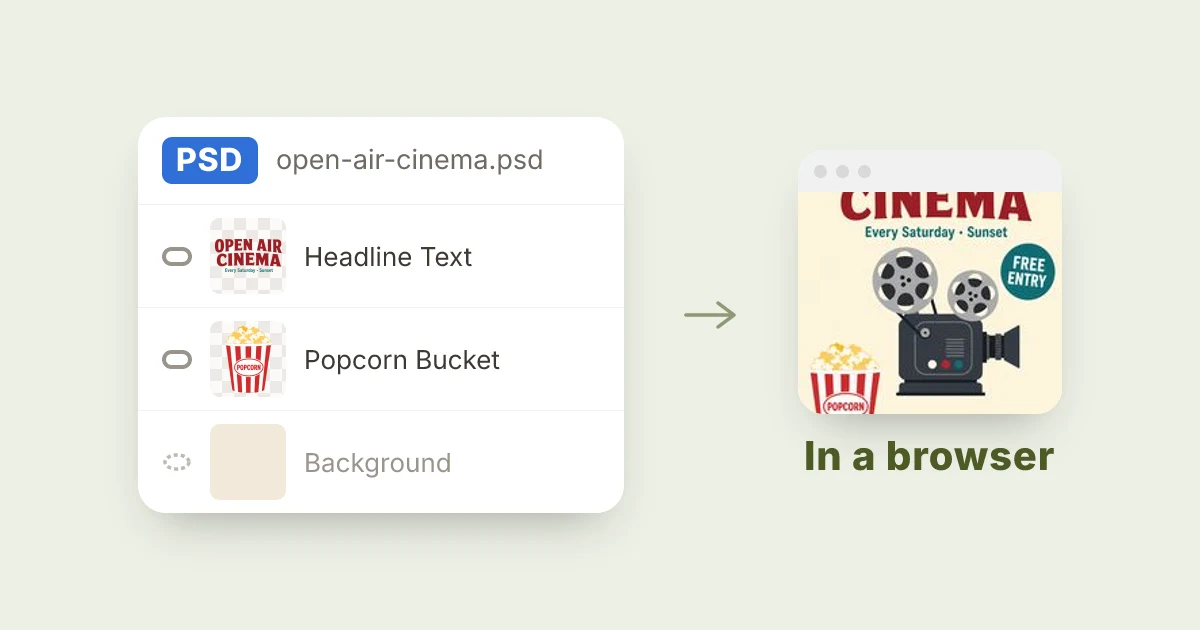
A browser-based PSD viewer is the quickest way to see inside a file. The PSD Viewer on this site reads PSD and PSB files directly in your browser, and the file never leaves your device: no request carries it, and nothing is stored.
- Open the viewerGo to /psd-viewer in any modern browser.
- Load your fileDrop a PSD or PSB onto the box, or click to choose it (files up to 200 MB work).
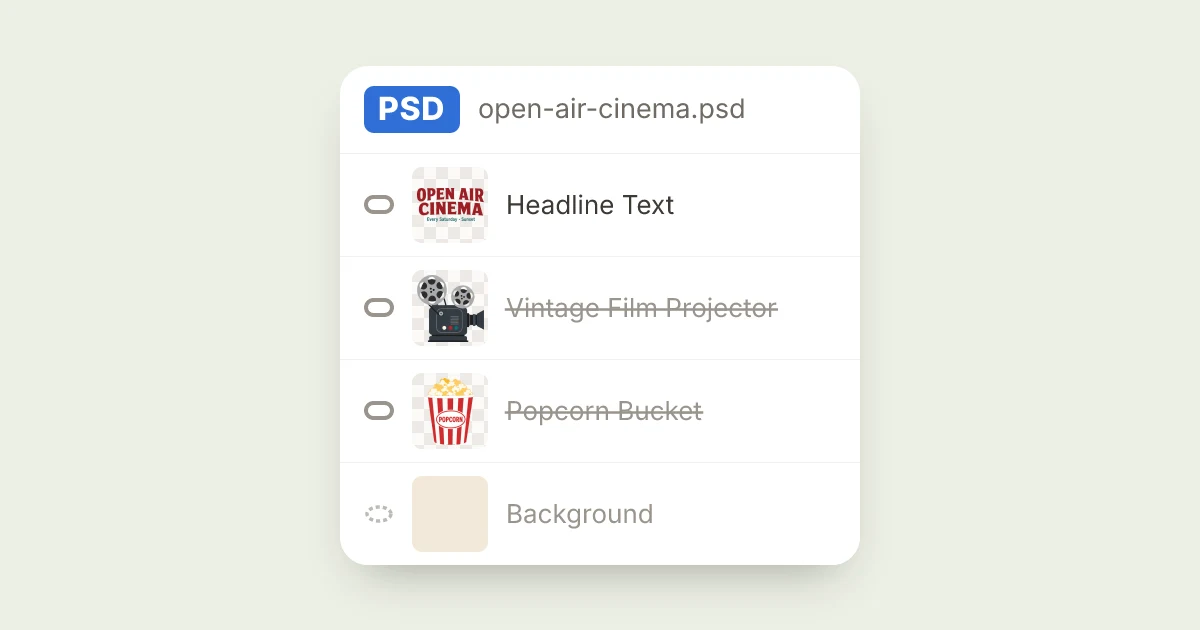
- Inspect the layer listEach layer on the right is marked as a type layer or a pixel layer, and layers inside groups keep their group name.
- Toggle and inspectClick the eye icon to hide or show a layer, scroll to zoom, drag to pan, or click a layer for its size, blend mode and opacity.
- Save what you needExport one layer as a PNG, every layer as a ZIP, or the current view as a single PNG.
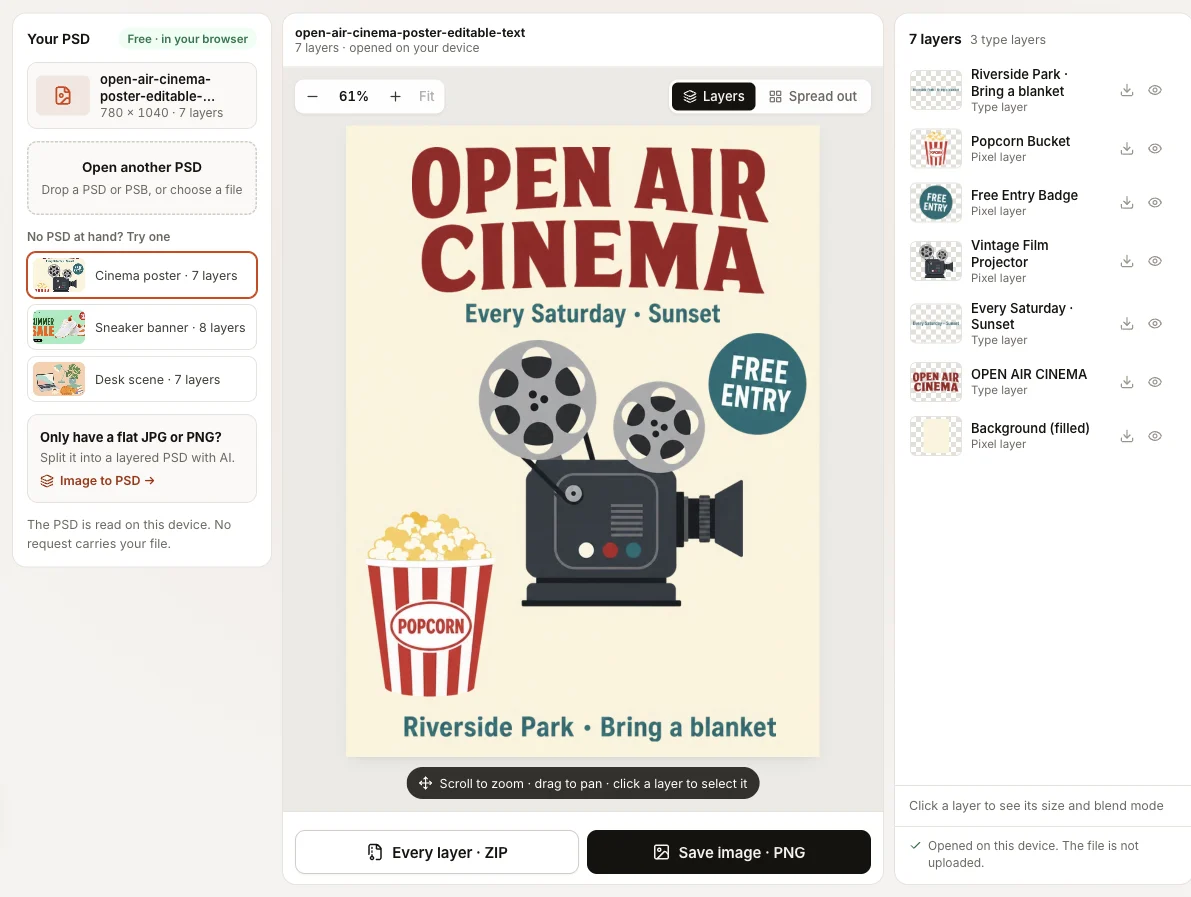
The viewer draws each layer with its opacity, common blend modes such as Multiply, Screen and Overlay, and raster layer masks. It does not draw layer effects (drop shadows, strokes), adjustment layers, clipping masks or vector masks.
Free editors that can change the PSD
Mac Preview and Windows built-in apps
Apple’s Preview app supports PSD among its image types, so double-clicking a PSD on a Mac opens one flat picture with no layer list. That works only when Photoshop saved the flattened composite under Maximize PSD and PSB File Compatibility (Adobe formats guide), though File > Export in Preview can save that flat picture as PNG or JPG (Apple guide).
Microsoft does not document PSD support for File Explorer or the Photos app, so a browser viewer or Photopea is the simplest way in Edge or Chrome without installing codecs.
What a PSD viewer cannot do
.psd.If you only need images out of the file, the free PSD to PNG converter saves the whole image, every layer or both for up to 50 PSD files at once; how to convert a PSD to PNG and keep transparency explains the options.
Which option should you use?
- You only need to look, inspect layers or grab a PNG
- You want nothing installed and nothing uploaded
- You need to check a PSB file (see PSB vs PSD)
- You need to edit text, move layers or save back to
.psd - You want browser-based editing (Photopea)
- You want a free desktop app (GIMP or Affinity)
Open PSD and PSB files up to 200 MB without an account, and the file stays on your device. No PSD at hand? Open one of the three sample files on the page and switch its layers on and off. If what you have is a flat JPG or PNG, Image to PSD splits it into named layers with AI.
FAQ
Can I open a PSD file without Photoshop?
Yes. A browser-based PSD viewer shows the layers without installing anything, Photopea opens and edits PSD files in the browser, and GIMP and Affinity open them on the desktop for free. How faithfully a file appears depends on which Photoshop features it uses; effects, smart objects and text are the usual differences.
Is there a free PSD viewer?
Yes. The PSD Viewer is free, needs no sign-in and reads the file in your browser without uploading it. On a Mac, Preview is also free and built in, but it shows only the flattened picture, not the layers.
How do I open a PSD file online?
Open a browser-based viewer or editor and drop the file into it. Both the PSD Viewer and Photopea read the file on your own device rather than uploading it, according to their own documentation. Use the viewer to look and export PNGs, and Photopea to make changes.
Why does my PSD look different outside Photoshop?
Programs other than Photoshop support different subsets of the format. Layer effects, adjustment layers, smart objects, clipping masks and missing fonts are the common causes. If you only need the finished look, a flat PNG or JPG exported from Photoshop will always match.
Can I edit the text in a PSD without Photoshop?
Yes, in an editor that understands Photoshop type layers. Photopea’s documentation says you can click a type layer with the Type tool and edit its contents. A viewer cannot edit text, and GIMP’s editable PSD text is still in development builds.
Can I open a PSD on a phone?
Browser-based tools are the practical route. Photopea’s documentation says it runs on any device with a browser, though it recommends a large screen, a mouse and a keyboard. The PSD Viewer also runs in the browser, so it needs no app.